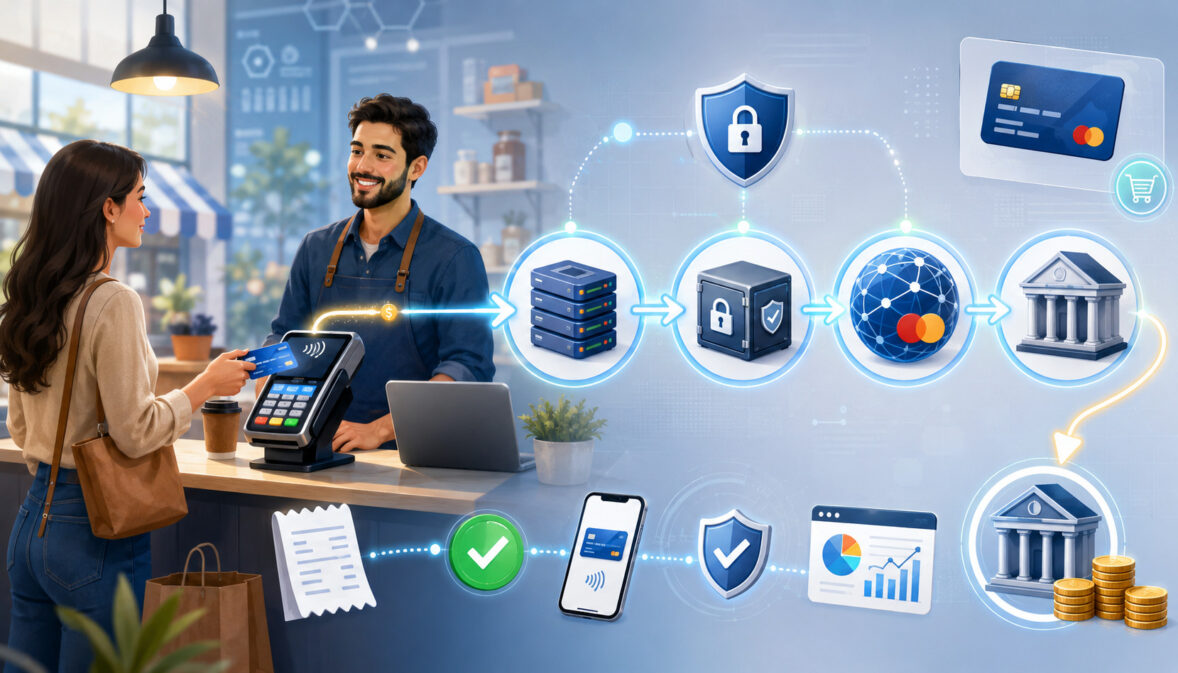
Merchant accounts help businesses accept card payments, online payments, mobile payments, invoice payments, POS transactions, and digital wallet payments.
For many business owners, the customer experience looks simple: a customer taps a card, inserts a chip, enters card details online, or pays an invoice, and the sale appears in the system. Behind that simple checkout moment, however, several payment steps happen before the business receives its funds.
Understanding merchant accounts is important because payment acceptance affects cash flow, customer convenience, reporting, refunds, chargebacks, security responsibilities, and daily operations.
A business that understands merchant account basics can review fees more confidently, manage deposits more accurately, and choose a setup that fits how customers actually pay.
This guide explains how merchant accounts work, what parties are involved, how money moves from customer to merchant, what merchant account fees may apply, what underwriting may review, and how businesses can manage a merchant services account responsibly.
What Are Merchant Accounts?
Merchant accounts are business payment accounts used in the card payment process. They help businesses accept credit card payments, debit card payments, online payments, mobile payments, digital wallets, invoice payments, and POS payments.
A merchant account is not the same as a regular business checking account, even though the final deposit often ends up in the business bank account.
A regular business bank account is used for everyday banking activity, such as receiving deposits, paying bills, running payroll, and managing operating cash.
A merchant account supports payment processing between the customer’s payment method and the business’s bank account. It helps approved card transactions move through authorization, capture, settlement, and funding.
When a customer pays by card, the money does not usually move directly from the customer to the merchant’s bank account in one simple step. The transaction passes through the POS system or payment gateway, payment processor, card networks, issuing bank, acquiring bank, and settlement process. The merchant account is part of that payment flow.
A business may hear terms such as business merchant account, payment processing account, credit card processing account, or merchant services account. These terms are often used in related ways, but the core idea is the same: the business needs a way to accept non-cash payments and receive funds after those payments are authorized and settled.
Why Businesses Use Merchant Accounts
Businesses use merchant accounts because customers expect flexible payment options. A retail shopper may want to tap a card at the counter. A restaurant customer may want to pay with a digital wallet.
An online buyer may enter payment details during eCommerce checkout. A service business may send invoice payments by email. A mobile business may collect payment through a card reader or payment link.
A merchant account for businesses supports these payment channels by connecting the business to the card payment system. It helps process card-present transactions, card-not-present transactions, online payments, POS payments, debit card processing, mobile payments, invoice payments, and sometimes recurring billing.
Merchant accounts also support operational control. They help businesses track payment authorization, payment capture, batch settlement, merchant account settlement, refunds, chargebacks, settlement reports, and payment reconciliation. This matters because payment data must match sales records, accounting records, bank deposits, and customer receipts.
For finance teams, merchant accounts provide better visibility into business payment processing. A good reporting setup can show transaction volume, average ticket size, refund trends, chargeback activity, processor markup, interchange fees, assessment fees, and deposit timing. These details help businesses understand the real cost of accepting card payments.
Merchant accounts can also improve cash flow management. Instead of waiting for checks or manual bank transfers, businesses can accept payments at the moment of sale or shortly after sending an invoice.
Funding is still subject to settlement timing, risk review, refunds, chargebacks, bank processing, and account terms, but electronic payment acceptance can make revenue collection more organized.
How Merchant Accounts Work Step by Step
How merchant accounts work can be understood as a series of connected steps. A customer starts the payment, the payment information moves through secure systems, the issuing bank approves or declines the request, the transaction is captured, transactions are batched, and funds are settled to the merchant.
The process may vary depending on whether the transaction is in person, online, keyed into a virtual terminal, processed through a payment link, or handled through a mobile POS app.
Still, the basic workflow is similar: authorization confirms whether the payment can proceed, capture prepares the sale for settlement, settlement moves funds through the payment system, and funding deposits the net amount into the merchant’s bank account.
Step One: Customer Makes a Payment
The payment process begins when a customer chooses a payment method. In a store, the customer may tap a contactless card, insert a chip card, swipe a card, or use a digital wallet.
In an online checkout, the customer may enter card details, use a saved payment method, or complete a digital wallet transaction. For service businesses, the customer may pay through an invoice link, virtual terminal, mobile card reader, or payment link.
This first step creates a payment request. The POS terminal, online checkout, mobile app, or payment gateway collects the necessary transaction details, such as the transaction amount, card information, merchant identification number, and security data. In secure systems, sensitive information is protected using tools such as encryption and tokenization.
Card-present transactions often carry different risk considerations than card-not-present transactions. In-person payments may use chip, contactless, or PIN verification. Online and keyed payments may rely more heavily on fraud screening, AVS, CVV checks, device data, customer verification, and clear order documentation.
Step Two: The Payment Is Authorized
After the customer submits payment, the authorization request moves through the payment system. The POS system or payment gateway sends the transaction information to the payment processor.
The processor routes the request through the appropriate card network. The card network sends the request to the issuing bank, which is the bank or financial institution connected to the customer’s card.
The issuing bank reviews the request and decides whether to approve or decline it. That review may consider available funds, credit limit, card status, fraud signals, security checks, transaction amount, and account restrictions. If the issuing bank approves the payment, an authorization code is returned through the same path to the merchant’s checkout system.
Authorization does not always mean the business has already received the money. It means the transaction has been approved to proceed. The sale still needs to be captured, settled, cleared, and funded.
If a transaction is declined, the merchant does not receive approval to complete that card payment and may need to request another payment method.
Step Three: The Transaction Is Captured
After authorization, the approved transaction must be captured. Capture confirms that the merchant intends to complete the sale and submit it for settlement. In many retail environments, authorization and capture happen very close together.
In some online or service settings, authorization may happen first, while capture may occur later when the order is ready to ship or the service is confirmed.
Capture is important because an authorized transaction that is not captured may not move to settlement. For example, a hotel, rental, delivery, or eCommerce transaction may involve authorization before final capture.
The final captured amount may differ from the original authorization if tips, adjustments, shipping changes, partial captures, or order modifications apply.
Businesses should understand how their POS system, payment gateway, or virtual terminal handles capture. If capture settings are misconfigured, approved sales may fail to settle correctly. That can create cash flow problems and reconciliation issues.
Step Four: Transactions Are Batched for Settlement
Once transactions are captured, they are often grouped into a batch. Batch settlement is the process of submitting a group of approved transactions for clearing and funding. Many businesses close their batch at the end of the business day, while others use automatic batch close settings.
Batch close timing matters because it can affect deposit timing. If a batch closes after the processor’s cutoff time, funding may shift to a later deposit cycle. Restaurants, retailers, and mobile businesses should pay close attention to batch close settings, especially when tips, refunds, voids, or late-day sales are involved.
Batch settlement also helps businesses organize reporting. A batch report can show which transactions were submitted together. This helps with payment reconciliation because the bank deposit may represent a batch total rather than each individual sale.
When batch reports, merchant statements, gateway reports, and bank deposits do not match, the business may need to review refunds, fees, chargebacks, adjustments, or timing differences.
Step Five: Funds Are Deposited
After settlement and clearing, funds move toward the merchant’s bank account. The deposit may be reduced by merchant account fees, chargebacks, refunds, reserves, adjustments, or other account activity. This is why the amount deposited into the business bank account may not match gross card sales exactly.
Deposit timing can vary based on batch close time, bank processing, risk review, weekends, holidays, transaction type, processor settings, and merchant account terms. Some businesses may receive funding quickly, while others may have delayed funding or reserves depending on underwriting, risk profile, processing history, or account activity.
Merchants should review settlement reports regularly. A settlement report helps explain how approved transactions became deposits. It can show sales, refunds, fees, chargebacks, adjustments, and deposit totals. This makes cash flow management and accounting more accurate.
Merchant Account Workflow Table
The merchant account workflow includes multiple stages, and each stage affects the business differently. A payment that looks complete at checkout still needs to move through authorization, capture, batch settlement, clearing, funding, reporting, and reconciliation.
| Payment Stage | What Happens | Who Is Involved | Merchant Impact | Common Issues to Watch For |
| Customer payment | Customer taps, inserts, swipes, enters card details, or uses a digital wallet | Customer, merchant, POS terminal, checkout page, mobile app | Sale begins | Card read errors, wrong amount, poor connection |
| Authorization | Payment request is routed for approval or decline | Payment gateway, payment processor, card network, issuing bank | Confirms whether payment can proceed | Declines, fraud alerts, verification failures |
| Capture | Approved transaction is submitted for completion | Merchant system, processor, gateway | Moves sale toward settlement | Uncaptured authorizations, incorrect final amount |
| Batch settlement | Captured transactions are grouped and submitted | Merchant, processor, acquiring bank | Affects deposit timing | Late batch close, missing transactions, tip errors |
| Clearing | Transaction data moves through the payment network | Card networks, issuing bank, acquiring bank | Supports final movement of funds | Adjustments, timing delays, network rules |
| Funding | Net funds are deposited to business bank account | Acquiring side, processor, merchant bank account | Impacts cash flow | Fees, reserves, refunds, chargebacks, bank delays |
| Reporting | Transaction and deposit reports are generated | Processor, gateway, POS system | Supports accounting | Conflicting report totals, missing details |
| Reconciliation | Business matches sales, settlements, and deposits | Merchant, finance team, accountant | Confirms payment accuracy | Gross sales not matching net deposits |
Key Parties Involved in Merchant Account Processing
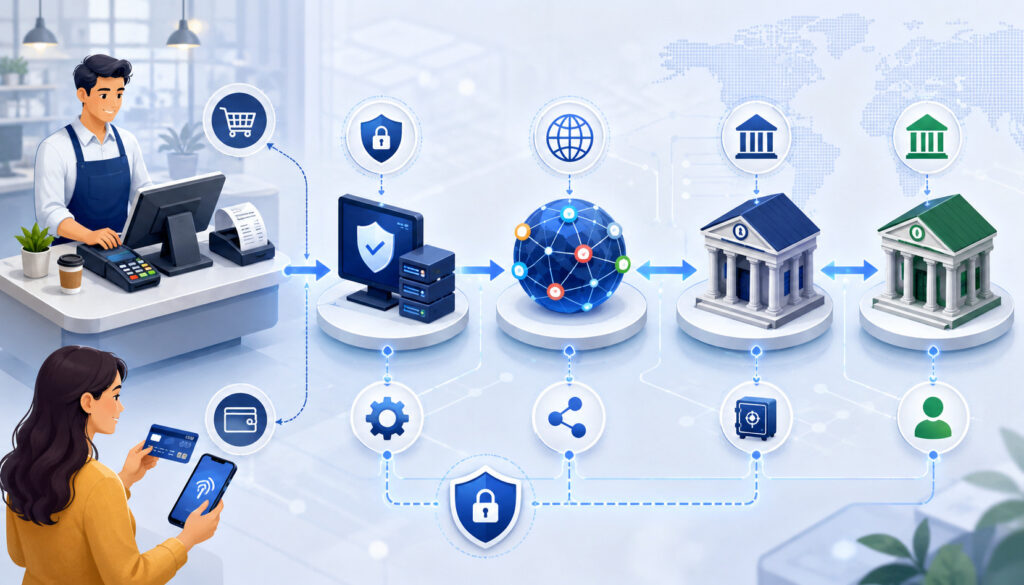
Merchant account payment processing involves several parties. Each party has a specific role in moving transaction information and funds through the card payment system. Understanding these roles helps business owners interpret fees, approvals, disputes, and settlement reports more clearly.
Merchant
The merchant is the business accepting payment. This may be a retail store, restaurant, eCommerce seller, contractor, service provider, subscription business, B2B company, startup, mobile business, or multi-location operator.
The merchant is responsible for setting up the payment environment, choosing payment channels, following account terms, training staff, keeping accurate records, managing refunds, responding to disputes, and reviewing payment reports.
The merchant also has responsibilities related to payment security, customer communication, refund policies, and transaction documentation.
A merchant account connects the business to the broader payment system. The merchant does not usually interact directly with every party in the background, but the merchant is affected by each step, including authorization, settlement, fees, chargebacks, reserves, and funding.
Customer and Issuing Bank
The customer is the person or organization making the payment. The customer may use a credit card, debit card, commercial card, digital wallet, stored payment method, or other approved payment method.
The issuing bank is connected to the customer’s card or payment account. During authorization, the issuing bank decides whether the transaction should be approved or declined. It may review available funds, credit limits, fraud indicators, account status, address verification, card security codes, and transaction patterns.
If a customer later disputes a transaction, the issuing bank may also be involved in the chargeback process. That is why merchants should keep clear receipts, delivery records, invoices, refund records, service notes, and customer communication.
Acquiring Bank
The acquiring bank is on the merchant side of the transaction. It helps support merchant payment acceptance, settlement, and risk management. In many setups, the merchant may not directly communicate with the acquiring bank every day, but the acquiring side is important because it helps connect the merchant to card network activity and funding.
The acquiring bank or acquiring relationship may also be connected to underwriting. Since card payments carry risk, the acquiring side wants to understand what the merchant sells, how payments are accepted, how refunds are handled, what chargeback exposure may exist, and whether the business is operating transparently.
Acquiring bank relationships can influence settlement rules, reserves, account monitoring, processing limits, and risk review. This is especially important for businesses with higher transaction volume, large ticket sizes, subscription billing, card-not-present activity, or higher dispute exposure.
Payment Processor
The payment processor routes transaction data between the merchant’s payment system and the card payment network. It supports authorization, capture, settlement, reporting, refunds, voids, chargeback communication, and merchant account servicing.
A payment processor may provide merchant statements, transaction reports, batch reports, settlement reports, support tools, risk tools, and integrations. Some businesses interact with the processor through a dashboard, while others use a POS system, gateway, accounting integration, or virtual terminal.
The processor’s role is operationally important. Poor reporting, confusing statements, weak support, or limited integration options can create problems even when transactions technically process. Businesses should review processor capabilities as part of the overall merchant account decision.
Payment Gateway
A payment gateway securely transmits online or digital payment information between the customer, merchant, and payment processing network. It is commonly used for eCommerce checkout, invoice payments, payment links, recurring billing, virtual terminals, and card-not-present payments.
The gateway helps collect payment information and pass it securely to the processor. It may also support fraud screening, AVS, CVV checks, tokenization, recurring billing, hosted checkout pages, payment forms, and transaction reporting.
A payment gateway is not always the same thing as a merchant account. An online business may need both: the gateway to accept and transmit digital payment data, and the merchant account to support settlement and funding. In some payment setups, these services are packaged together, but the functions are still different.
Card Networks
Card networks help route transaction information and set rules that affect authorization, clearing, settlement, interchange, assessment fees, dispute handling, and card acceptance requirements. They act as major communication pathways between issuing banks and acquiring banks.
Card networks also influence how different transaction types are categorized. For example, card-present transactions, card-not-present transactions, commercial card payments, rewards card payments, debit card payments, and international transactions may carry different cost and risk characteristics.
Merchants do not usually negotiate directly with card networks, but network rules can affect fees, chargebacks, refund handling, payment security expectations, and dispute documentation. Understanding that these rules exist helps businesses see why payment processing costs are not controlled by only one party.
Merchant Account vs Business Bank Account
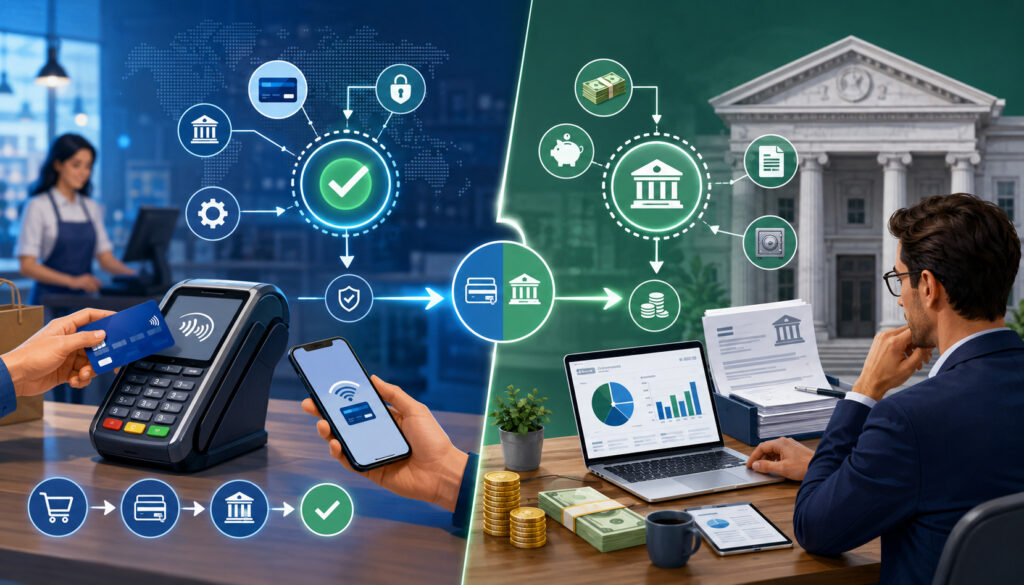
A merchant account and a business bank account serve different purposes. A merchant account supports card transaction processing, while a business bank account receives deposits and supports normal banking activity.
The merchant account process helps handle payment authorization, payment capture, batch settlement, clearing, funding, refunds, chargebacks, reserves, and payment reporting.
The business bank account is where net deposits often arrive after settlement. The business bank account is also used for payroll, rent, supplier payments, taxes, savings, and operating expenses.
A business owner may never see the merchant account as a separate account in the same way they see a checking account. Much of the merchant account process happens behind the scenes through the processor, acquiring relationship, gateway, POS system, and settlement reports. The visible result is often a deposit in the business bank account.
This difference matters during reconciliation. Gross card sales may not equal the deposit amount because the deposit may reflect net funding after fees, refunds, chargebacks, reserves, or settlement timing differences.
Businesses should not assume a mismatch means an error. Instead, they should review batch reports, settlement reports, merchant statements, and bank activity.
Merchant Account vs Payment Processor vs Payment Gateway
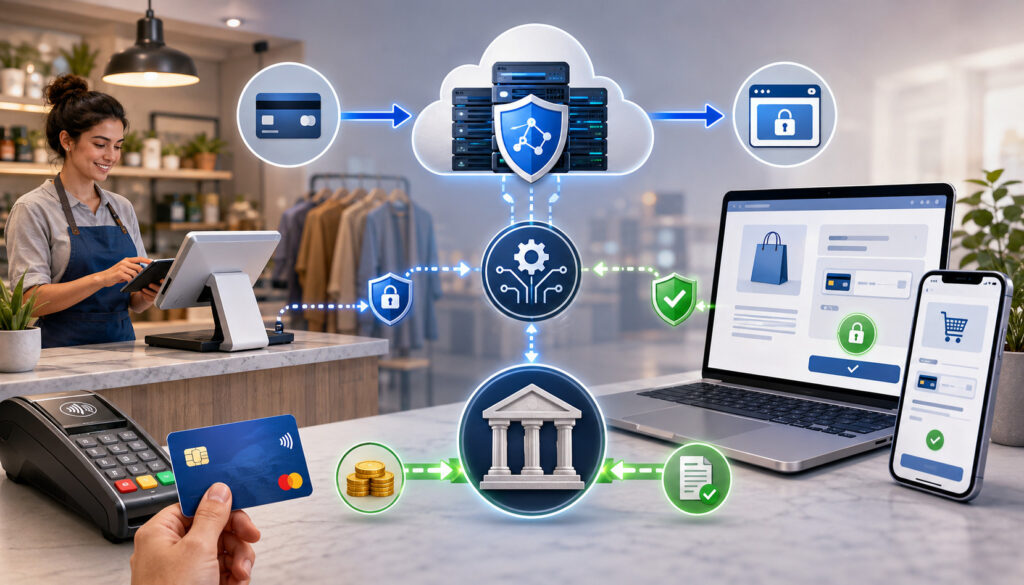
The terms merchant account, payment processor, and payment gateway are related, but they are not identical. A merchant account supports the business’s ability to receive funds from card transactions.
A payment processor routes transaction information and supports authorization and settlement. A payment gateway securely transmits online or digital payment data.
An in-person retailer may use a POS terminal connected to a processor and merchant account. The customer taps or inserts a card, the processor routes the authorization request, and the merchant account process supports settlement and funding.
An online seller may use an eCommerce checkout page with a payment gateway. The gateway securely collects and transmits payment data. The processor routes the transaction, and the merchant account supports settlement. Fraud tools may also review transaction risk before or during authorization.
A service business may use invoice payments, a virtual terminal, card-on-file billing, or payment links. In that case, the gateway or virtual terminal helps accept the payment remotely, while the processor and merchant account support authorization, settlement, and funding.
Some payment platforms combine these functions into a single package, while others separate them. Businesses should look beyond the labels and ask what services are included, what fees apply, how settlement works, what reports are available, and who provides support when something goes wrong.
Types of Merchant Accounts and Payment Setups
Different businesses need different payment setups. The right merchant account for businesses depends on sales channel, customer payment behavior, transaction volume, average ticket size, chargeback exposure, technology needs, and settlement expectations.
Retail Merchant Accounts
Retail merchant accounts are used by in-person businesses that accept payments at a physical checkout location. These businesses often use POS terminals, countertop card readers, mobile card readers, barcode scanners, receipt printers, and contactless payment devices.
Retail payments are usually card-present transactions. Customers may insert chip cards, tap contactless cards, swipe cards when needed, or use digital wallets. These transactions often include stronger in-person verification than keyed or online payments.
Retail merchants should review POS compatibility, terminal costs, batch settlement settings, refund tools, user permissions, receipt options, offline mode, and reporting. They should also train employees to handle voids, refunds, declined cards, partial approvals, and end-of-day batch close procedures correctly.
eCommerce Merchant Accounts
eCommerce merchant accounts support online payments through checkout pages, payment gateways, shopping carts, hosted payment forms, and digital wallets. These transactions are usually card-not-present, which can carry different fraud and dispute considerations than in-person payments.
Online businesses should pay close attention to payment gateway features, fraud filters, AVS, CVV checks, 3D Secure options, tokenization, checkout security, refund policies, shipping details, customer support visibility, and order confirmation records.
Website transparency matters. Product descriptions, pricing, billing terms, fulfillment details, privacy policies, refund rules, and customer service contact information should be clear. These details help customers understand purchases and may also support underwriting and dispute prevention.
Mobile Merchant Accounts
Mobile merchant accounts support businesses that accept payments away from a fixed checkout counter. Examples include contractors, delivery businesses, market vendors, home service providers, event sellers, food trucks, repair businesses, and field service teams.
Mobile payments may be accepted through mobile POS apps, card readers, wireless terminals, payment links, invoices, or tap-to-pay technology on compatible devices. These tools help businesses accept payment when the sale happens instead of waiting for checks or later billing.
Mobile businesses should review connectivity, device security, staff permissions, receipt delivery, tip options, refund controls, offline transaction handling, and deposit timing. They should also keep clear service records because mobile and remote transactions can be harder to document later if a dispute occurs.
MOTO and Virtual Terminal Accounts
MOTO stands for mail order and telephone order. These payments are typically keyed manually because the customer is not physically presenting the card at a terminal. A virtual terminal lets a business enter payment details through a secure online dashboard.
MOTO and virtual terminal accounts can be useful for service businesses, professional offices, repair companies, wholesalers, and businesses that accept remote orders. They can also support invoice payments, deposits, balance payments, or customer service transactions.
Because keyed payments are card-not-present, businesses should use verification tools carefully. AVS, CVV, detailed invoices, signed authorizations, customer communication, service records, and refund policies can help reduce risk. Staff should never write down or store card information insecurely.
High-Risk Merchant Accounts
Some businesses may receive more underwriting review because of chargeback exposure, transaction size, business model, sales channel, refund patterns, delivery timing, subscription billing, regulatory complexity, or industry risk. This does not automatically mean the business cannot accept payments, but it may affect the approval process and account terms.
High-risk merchant accounts may involve additional documentation, processing limits, reserves, delayed funding, more monitoring, or stricter policies. Underwriters may review financial stability, processing history, website transparency, refund practices, fulfillment details, and chargeback prevention plans.
Businesses in higher-risk categories should be accurate and transparent during the application process. Incomplete or inconsistent information can create delays or account problems later. A realistic processing profile is usually better than inflated sales estimates.
Merchant Account Requirements
Merchant account requirements vary by provider, business model, payment channel, transaction volume, and risk profile. Approval should never be assumed or guaranteed. Still, many applications involve similar review categories.
Common merchant account requirements may include:
- Business legal name and contact information
- Owner identity details
- Business bank account information
- Tax or business registration details
- Business formation documents, when applicable
- Product or service descriptions
- Website, checkout, or policy review for online sellers
- Estimated monthly volume
- Average ticket size
- Highest expected ticket size
- Refund policy
- Chargeback prevention plan
- Prior processing history, if available
- Supporting documents for regulated or higher-risk activity
Business and Owner Verification
Business and owner verification helps the processor and acquiring side understand who is applying, what the business does, and where funds should be deposited. This may include identity verification, ownership details, business formation records, bank account verification, and tax-related information.
This review is often connected to KYC review and business verification. The goal is to confirm that the applicant is legitimate, the business activity is clear, and the account is not being opened under misleading information.
Businesses should make sure the application matches official records. Differences in business name, address, website, owner information, bank account name, or product descriptions can slow the review process. Consistency helps reduce avoidable questions.
Processing Volume and Average Ticket Size
Processing estimates help underwriters understand expected transaction activity. Monthly volume, average ticket size, highest ticket size, refund frequency, and sales channel mix all affect risk review.
For example, a business with small in-person transactions may be reviewed differently from a business selling large-ticket items online. A subscription business may be reviewed differently from a seasonal retail store. A startup with no processing history may need to explain expected volume and business operations clearly.
Businesses should provide realistic estimates. Overstating volume can create unnecessary risk concerns, while understating activity may create problems later if actual processing quickly exceeds expected limits.
Website and Policy Review
Online merchants may need a website review before approval. A clear website helps show what the business sells, how customers order, how products or services are delivered, and how customers can get support.
Important website details may include product descriptions, pricing, refund policy, privacy policy, terms, shipping or fulfillment details, customer service contact information, business identity, and billing descriptor clarity.
An incomplete website can delay merchant account approval. If customers cannot understand what they are buying, how they will receive it, or how to request help, the business may face more disputes and underwriting questions.
How Merchant Account Approval Works
Merchant account approval usually begins with an application. The business submits basic details, owner information, banking details, processing estimates, and supporting documents. The provider or underwriting team reviews the application for accuracy, business legitimacy, payment risk, and operational fit.
The approval process may include document review, business verification, ownership review, website review, processing history review, financial review, risk assessment, and account setup. Some businesses may be approved quickly, while others may receive requests for more information.
A business may receive approval, conditional approval, processing limits, reserve requirements, delayed funding, or additional monitoring. These outcomes depend on the business type, sales method, ticket size, volume, processing history, chargeback exposure, and underwriting review.
Underwriting Review
Underwriting evaluates risk. It helps determine whether the business can be supported and under what terms. Underwriters may review business model, products or services, sales channel, ownership, credit profile, financial stability, chargeback history, refund policy, website transparency, fulfillment timing, and expected processing volume.
For card-not-present businesses, underwriters may pay close attention to fraud prevention, delivery proof, refund terms, and customer communication.
For higher-ticket businesses, they may review financial capacity and dispute exposure. For subscription businesses, they may review cancellation policies, recurring billing terms, and failed payment management.
Underwriting is not only about whether a business is legitimate. It is also about whether the expected processing activity matches the account setup. A mismatch between what the business says and what it processes can create account reviews later.
Conditional Approval and Reserves
Some businesses may be approved with conditions. Conditional approval may include processing limits, rolling reserves, delayed funding, additional documentation, transaction monitoring, or specific restrictions. These conditions are often connected to perceived risk.
A reserve is money held temporarily to help cover potential chargebacks, refunds, or other payment risk. A rolling reserve may hold a percentage of processed volume for a set period before releasing it. Reserves can affect cash flow, so businesses should understand how they work before processing begins.
Conditional approval is not always negative. For some businesses, it may be a path to payment acceptance while the account builds processing history. However, the business should review reserve terms, release timing, processing limits, and monitoring requirements carefully.
Merchant Account Fees Explained
Merchant account fees can include several cost categories. Some fees are tied to each transaction, while others are monthly, event-based, equipment-based, gateway-based, or compliance-related. Businesses should review the full cost structure rather than focusing only on a single advertised rate.
Common merchant account fees may include interchange fees, assessment fees, processor markup, transaction fees, monthly fees, gateway fees, virtual terminal fees, payment link fees, batch fees, chargeback fees, refund fees, PCI-related fees, equipment fees, statement fees, and monthly minimum fees.
Interchange and Assessment Fees
Interchange fees are base transaction costs connected to the issuing side of the card payment system. Assessment fees are often connected to card network costs. These costs can vary based on card type, transaction type, payment method, risk level, and network rules.
For example, a card-present debit transaction may carry a different cost profile than a card-not-present rewards credit card transaction. A commercial card, keyed transaction, international card, or online payment may also have different fee characteristics.
Merchants usually cannot eliminate base network-related costs, but they can understand them. This helps businesses compare pricing models and identify the difference between base costs and provider markup.
Processor Markup
Processor markup is the amount added for payment services. It may cover transaction routing, account servicing, reporting, support, settlement tools, risk tools, gateway access, software features, compliance support, and ongoing account management.
Processor markup may appear as a percentage, per-transaction fee, monthly fee, flat-rate pricing, tiered pricing, subscription pricing, or interchange-plus pricing. The structure matters because two quotes can look similar while producing very different monthly costs.
Businesses should ask how markup is calculated, whether it varies by transaction type, and whether additional fees apply. Reviewing actual statements after processing begins is one of the best ways to understand the real cost.
Monthly and Gateway Fees
Monthly fees may cover account maintenance, reporting access, customer support, statement generation, compliance tools, or service features. Gateway fees may apply when a business uses online checkout, virtual terminal access, recurring billing, payment links, or secure payment forms.
These fees are not always bad, but they should be understood. A gateway fee may be reasonable if the gateway provides strong fraud tools, tokenization, recurring billing, and useful reporting. It may be unnecessary if the business does not use the feature.
Businesses should review recurring charges carefully because they affect cost even during slow months. Seasonal businesses should be especially aware of monthly minimums, gateway fees, equipment fees, and account maintenance fees.
Chargeback and Refund Fees
Chargebacks and refunds can affect both revenue and payment costs. A refund returns money to the customer after a transaction has been settled. A chargeback is a dispute initiated through the customer’s issuing bank.
Refund fees may vary by provider. Some fees may not be returned when a refund is issued. Chargeback fees may apply when a dispute occurs, even if the merchant later provides evidence. Excessive chargebacks can also affect account standing.
Businesses should review refund policies, billing descriptors, customer service workflows, delivery proof, and dispute response procedures. Preventing disputes is usually less costly than reacting after a chargeback is filed.
Merchant Account Fee Breakdown Table
| Fee Type | What It Covers | When It May Apply | Why It Matters | What Merchants Should Review |
| Interchange fees | Base card transaction cost | Most card transactions | Often largest cost category | Card mix, transaction type, card-present vs card-not-present |
| Assessment fees | Network-related cost | Card network transactions | Adds to total processing cost | Network cost categories and statement details |
| Processor markup | Provider service cost | Per transaction or monthly | Determines provider margin | Pricing model, per-item fees, percentage markup |
| Gateway fees | Online payment access | eCommerce, invoices, payment links | Affects digital payment cost | Gateway features, monthly charges, per-transaction fees |
| Monthly fees | Account servicing | Each billing cycle | Affects slow months | Account fees, minimums, statement fees |
| Batch fees | Batch submission | End-of-day settlement | Small fees can add up | Batch settings and batch frequency |
| Chargeback fees | Dispute handling | Customer disputes | Can hurt revenue and account standing | Dispute process, evidence tools, prevention support |
| Refund fees | Refund processing | Customer refunds | Impacts net revenue | Whether transaction fees are returned |
| Equipment fees | Hardware use | POS terminals or readers | May create long-term cost | Lease, rental, purchase, return terms |
| PCI-related fees | Security validation or support | Account compliance process | Affects risk and monthly cost | Validation responsibilities and included tools |
How Merchant Account Settlement Works
Merchant account settlement is the process that turns approved transactions into deposits. It includes authorization, capture, batch close, clearing, funding, bank processing, settlement reporting, and reconciliation.
Authorization confirms whether the customer’s issuing bank approves the transaction. Capture confirms the merchant wants to complete the sale. Batch settlement groups captured transactions and submits them for clearing.
Clearing helps transaction data and funds move through the payment system. Funding sends net funds toward the merchant’s business bank account.
Funds are not always available immediately because transactions must move through these steps. Deposit timing can also be affected by batch close time, weekends, holidays, risk review, refunds, chargebacks, bank processing, reserves, and account settings.
Batch Settlement
Batch settlement groups transactions together and submits them for settlement. Many businesses close a batch at the end of the business day. Some systems close batches automatically at a scheduled time.
Batch timing matters. If a batch closes late, the deposit may be delayed. If tips are adjusted after authorization, restaurants must make sure tip adjustments are captured before batch close. If a transaction remains open, it may not settle with the rest of the batch.
A consistent batch close routine helps businesses manage cash flow and reporting. Staff should know who is responsible for closing the batch, when it happens, and how to confirm that the batch was successfully submitted.
Deposit Timing
Deposit timing varies. A business may receive deposits based on processor settings, bank processing schedules, risk review, transaction type, funding terms, batch close time, and account status.
Refunds, chargebacks, reserves, or account adjustments can reduce deposit amounts. A deposit may represent multiple transactions bundled together rather than one sale. This is why a bank deposit may not match a single day’s gross sales exactly.
Businesses should ask how deposits are calculated, when batches must close, how weekends and holidays affect timing, and whether fees are deducted daily or monthly. These details are essential for cash flow planning.
Settlement Reports
Settlement reports help businesses match transactions to deposits. They may show gross sales, refunds, chargebacks, adjustments, fees, batch totals, and net deposits.
Settlement reports are especially important for finance teams, accountants, restaurant operators, retailers, and eCommerce businesses. They help explain why the amount in the bank account differs from the amount in the POS or gateway report.
A strong reconciliation process compares POS reports, gateway reports, settlement reports, merchant statements, and bank deposits. This helps catch missing batches, incorrect refunds, duplicate charges, unexpected fees, or chargeback deductions.
Merchant Accounts and Payment Security
Payment security matters because businesses that accept card payments handle sensitive payment activity. A merchant account setup should support secure payment acceptance, responsible data handling, fraud prevention, access controls, and compliance awareness.
Payment security may include PCI compliance basics, secure checkout pages, tokenization, encryption, fraud filters, AVS checks, CVV checks, user permissions, device security, password controls, staff training, and safe handling of customer information. Businesses that accept card payments should understand the official PCI data security standards because they apply to entities involved in storing, processing, or transmitting cardholder data.
The PCI Security Standards Council states that PCI DSS applies to entities that store, process, or transmit cardholder data or that can affect the security of the cardholder data environment. Businesses can review official PCI DSS resources for deeper security guidance.
PCI Compliance Basics
PCI compliance refers to payment card security responsibilities for businesses that accept card payments. Requirements may vary depending on how the business accepts payments, transaction volume, payment systems, and whether cardholder data is stored, processed, or transmitted.
A small business that uses a secure hosted checkout may have different responsibilities from a business that stores payment data or manages complex systems. Still, every business accepting card payments should understand its role.
PCI compliance is not only a form. It is part of reducing payment data risk. Businesses should work with secure systems, avoid unsafe card data storage, limit employee access, use strong passwords, and keep payment devices protected.
Tokenization and Encryption
Tokenization replaces sensitive card data with a token that can be used for future payment activity without exposing the original card number. This is useful for recurring billing, card-on-file payments, subscriptions, invoices, and repeat customer purchases.
Beyond payment-specific controls, businesses should also follow broader data security guidance for businesses, including limiting access to sensitive information, keeping it secure, and disposing of it safely when it is no longer needed.
Encryption helps protect payment data during transmission or storage by making it unreadable without proper controls. Secure payment systems use encryption to reduce the risk of exposing sensitive information.
These tools do not remove every responsibility from the merchant, but they can reduce risk when implemented correctly. Businesses should ask how their POS, gateway, virtual terminal, or mobile app protects payment information.
Fraud Prevention Tools
Fraud prevention tools help businesses reduce unauthorized transactions and dispute risk. These tools may include AVS, CVV checks, fraud scoring, velocity controls, transaction monitoring, customer verification, address checks, device recognition, and manual review rules.
Fraud prevention is especially important for card-not-present payments, eCommerce checkout, payment links, invoice payments, and virtual terminal transactions. These transactions may lack the physical card verification used in card-present payments.
Businesses should also use operational controls. Clear billing descriptors, accurate product descriptions, delivery confirmation, customer service records, refund policies, and order notes can help prevent confusion and support dispute responses.
Chargebacks, Refunds, and Merchant Accounts
Chargebacks and refunds are important parts of merchant account management. Refunds are initiated by the merchant to return funds to the customer. Chargebacks are disputes initiated through the customer’s issuing bank.
A chargeback can affect revenue, fees, account standing, and risk review. If chargebacks become frequent, the merchant account may face monitoring, reserves, higher costs, or account restrictions. Refund policies and customer service processes can help reduce unnecessary disputes.
Chargebacks
A chargeback occurs when a customer disputes a transaction through the issuing bank. Reasons may include fraud claims, product not received, service not provided, duplicate billing, cancellation issues, refund disputes, or customer confusion.
When a chargeback occurs, the merchant may need to provide evidence. Evidence may include receipts, invoices, signed agreements, delivery proof, order records, customer communication, refund policy acceptance, service notes, or usage records.
The official dispute guidance from a major card network explains that dispute management involves accurate information and merchant documentation. Businesses should use official dispute resources and processor tools to understand applicable procedures.
Refunds and Voids
A void cancels a transaction before it settles. A refund returns money after the transaction has settled. The difference matters because voids and refunds may appear differently in reports and may affect settlement differently.
For example, if a customer changes their mind immediately after a card-present sale, a void may cancel the transaction before batch settlement. If the transaction has already settled, the business typically processes a refund.
Staff should know when to void and when to refund. They should also document why the action was taken. Clear records help with reconciliation and customer service.
Dispute Documentation
Documentation is one of the most important chargeback management tools. Businesses should keep receipts, invoices, order confirmations, delivery proof, service agreements, customer emails, refund records, cancellation records, and product descriptions.
For online payments, merchants should also keep IP data, shipping confirmation, tracking details, checkout records, and policy acceptance where available. For service businesses, signed work orders, appointment records, before-and-after notes, and completion confirmations may be useful.
Good documentation does not guarantee a dispute outcome, but weak documentation makes it harder to respond. A strong recordkeeping process helps protect revenue and improve payment operations.
Merchant Accounts for Different Business Types
Merchant account needs vary by business model. A retail store, restaurant, eCommerce business, service company, subscription provider, B2B merchant, mobile operator, and multi-location business may all need different payment features.
Retail Stores
Retail stores use merchant accounts for in-person card payments, contactless payments, POS transactions, refunds, exchanges, gift sales, and settlement reporting. They often need reliable terminals, quick checkout flow, inventory integration, receipt options, and staff permissions.
Retailers should review card-present rates, terminal compatibility, batch settlement, refund tools, user access, and reporting by register or location. They should also train staff to handle declined payments, partial approvals, voids, and end-of-day procedures.
Restaurants and Food Businesses
Restaurants and food businesses may need tip adjustment, tabs, online ordering, delivery payments, pay-at-table options, contactless payments, and batch settlement controls. They may also need reporting that separates food sales, tips, taxes, refunds, and deposits.
Tip handling makes batch settlement especially important. If tips are adjusted after authorization, staff must confirm that final amounts are captured correctly before settlement. Restaurants should also monitor chargebacks related to delivery, duplicate charges, and unclear billing descriptors.
eCommerce Businesses
eCommerce businesses need payment gateways, checkout security, fraud prevention, refund workflows, website policies, and card-not-present processing. They should pay close attention to order confirmation, shipping proof, customer support access, and clear product descriptions.
Online sellers should review gateway reporting, fraud filters, payment capture settings, chargeback tools, recurring billing needs, and settlement timing. A strong checkout experience should be secure, easy to use, and transparent.
Service Businesses
Service businesses may use invoices, deposits, mobile payments, card-on-file payments, payment links, virtual terminals, and recurring billing. Examples include contractors, consultants, professional services, repair businesses, home services, and appointment-based businesses.
Documentation is important for service payments. Signed estimates, work orders, completion notes, customer approvals, and refund policies can help prevent disputes. Service businesses should also review whether deposits are refundable and how final balances are collected.
Subscription Businesses
Subscription businesses need recurring billing tools, stored payment credentials, payment retries, cancellation policies, failed payment reporting, and refund rules. They should make billing terms clear before the customer signs up.
Subscription merchants often face disputes when customers do not recognize recurring charges or cannot easily cancel. Clear billing descriptors, reminder emails, cancellation workflows, and customer support can reduce friction.
B2B Businesses
B2B businesses may need invoice payments, ACH options, commercial card acceptance, larger ticket review, purchase order matching, customer account records, and reconciliation tools. Large-ticket transactions may receive additional review because higher amounts can increase dispute exposure.
B2B merchants should review Level II or Level III data support if relevant, invoice matching, settlement reporting, and accounting integration. Clear payment terms and customer approval records are especially useful.
Mobile Businesses
Mobile businesses use card readers, wireless terminals, payment apps, invoices, and payment links to accept payments outside a fixed location. They need reliable connectivity, secure devices, staff controls, and simple receipts.
Mobile operators should review offline payment handling carefully. If payments are accepted without real-time authorization, there may be risk if a card later declines. Staff should understand when offline mode is safe and when another payment method is better.
Multi-Location Businesses
Multi-location businesses may need centralized reporting, location-level deposits, location-specific permissions, settlement tracking, user controls, and consistent payment policies. They may also need separate merchant identification numbers or location reporting.
Centralized reporting helps owners and finance teams compare performance across locations. It also supports better reconciliation because deposits can be matched by store, batch, day, or department.
How to Choose a Merchant Account for Businesses
Choosing a merchant account for businesses requires more than comparing rates. The right setup depends on business model, payment channels, transaction volume, average ticket size, card-present versus card-not-present mix, fees, settlement timing, gateway needs, POS compatibility, reporting, customer support, chargeback tools, fraud controls, and scalability.
Businesses should begin by mapping how customers pay now and how they may pay as the business grows. A retail business may need POS payments and mobile checkout. An online seller may need gateway tools and fraud controls.
A service business may need invoices, deposits, and virtual terminal access. A B2B business may need invoice reconciliation and larger-ticket support.
Review Your Payment Channels
Payment channels determine what features are needed. In-person, online, mobile, invoice, subscription, and B2B payments each have different operational requirements.
A business that accepts only in-person payments may prioritize terminals, POS integration, and batch settlement. A business that accepts online payments may prioritize gateway security, fraud filters, checkout experience, and website policy clarity. A service business may prioritize payment links, invoicing, and mobile payment tools.
Choosing a setup without reviewing payment channels can create unnecessary cost or missing features. The best payment processing account should fit actual customer behavior.
Compare Total Cost
Advertised rates do not always show the full cost. Businesses should compare total fees, including transaction fees, monthly fees, gateway fees, batch fees, chargeback fees, equipment fees, PCI-related fees, statement fees, minimum fees, and contract costs.
A lower transaction rate can become expensive if it is paired with high monthly fees, long equipment leases, hidden charges, or poor reporting. A slightly higher visible rate may be easier to manage if the pricing structure is transparent and predictable.
For more context on fees and statement review, businesses can read about credit card merchant fees and how to read a merchant statement.
Check Reporting and Reconciliation Tools
Reporting tools are essential for accounting and cash flow. Businesses should review whether the account provides batch reports, settlement reports, gateway reports, merchant statements, transaction search, refund tracking, chargeback alerts, and deposit summaries.
Good reporting helps businesses answer practical questions: Which transactions are in this deposit? Why did the deposit not match gross sales? Which refunds reduced funding? Were fees deducted daily or monthly? Which location processed the transaction?
Businesses that ignore reporting often struggle later. Payment reconciliation should be part of the merchant account decision from the beginning.
Review Contract Terms
Contract terms can affect flexibility and cost. Businesses should review cancellation terms, equipment terms, monthly fees, reserve terms, renewal clauses, processing limits, gateway terms, and funding conditions.
The lowest quoted rate may not be the best choice if the contract includes expensive cancellation fees, non-cancellable equipment leases, unclear reserve terms, or limited support. Businesses should request written explanations of important terms before signing.
Helpful background on contract flexibility can be found in this guide to merchant service contract cancellation terms. For broader payment context, this merchant services and credit card processing guide may also be useful.
Merchant Account Setup Checklist
| Setup Item | Why It Matters | What to Prepare |
| Business documents | Supports verification | Formation records, business registration, tax details |
| Owner identification | Confirms responsible parties | Government-issued identification and ownership details |
| Business bank account | Enables funding | Bank account matching the business |
| Website policies | Supports online review | Refund policy, privacy policy, terms, shipping details |
| Product descriptions | Explains what is sold | Clear product or service details |
| Processing estimates | Helps underwriting | Monthly volume, average ticket, highest ticket |
| Payment gateway needs | Supports online payments | Checkout, invoices, recurring billing, fraud tools |
| POS needs | Supports in-person payments | Terminals, readers, integrations, receipt options |
| Refund policy | Reduces disputes | Clear refund and cancellation rules |
| Chargeback plan | Protects account standing | Documentation, customer service, dispute workflow |
| Pricing model review | Clarifies cost | Interchange, assessment, markup, monthly fees |
| Settlement timing review | Supports cash flow | Batch close time, deposit timing, funding rules |
| Reporting access | Supports accounting | Settlement reports, statements, user permissions |
Common Merchant Account Mistakes to Avoid
Many merchant account problems begin before the first transaction. Businesses often focus on getting approved and accepting payments quickly, but they may overlook details that affect cost, settlement, disputes, and long-term flexibility.
Common mistakes include:
- Choosing only based on the lowest advertised rate
- Not reviewing contract terms
- Ignoring gateway fees
- Overlooking monthly minimums
- Accepting unclear equipment terms
- Underestimating chargeback risk
- Applying with inconsistent business information
- Launching online payments with an incomplete website
- Not reconciling deposits
- Not training staff on voids, refunds, and batch close
- Failing to review monthly statements
- Overlooking settlement timing
- Not updating account information when the business changes
A merchant services account should be managed like any other important business system. It affects customer experience, revenue collection, accounting, cash flow, and operational risk.
How to Manage a Merchant Account After Approval
Approval is only the beginning. A business must manage the merchant account over time to keep payment operations accurate, secure, and cost-effective.
Ongoing management includes reviewing statements, calculating effective rate, reconciling deposits, monitoring chargebacks, updating business information, tracking processing volume, reviewing settlement reports, training staff, checking security responsibilities, and comparing payment needs as the business grows.
Review Monthly Statements
Monthly statements show transaction volume, fees, refunds, chargebacks, adjustments, and account charges. Businesses should review them every month instead of waiting until costs feel too high.
A useful review includes total volume, total fees, transaction count, average ticket, refund volume, chargeback activity, gateway charges, monthly fees, and effective rate. Effective rate is the total processing cost divided by total processed volume.
Statement review also helps identify unexpected charges, pricing changes, duplicate fees, or services the business no longer uses. For deeper cost context, businesses can review resources on the true cost of accepting cards.
Reconcile Deposits
Reconciliation means matching sales records to settlement records and bank deposits. This helps confirm that processed transactions were funded correctly.
A business should compare POS reports, gateway reports, settlement reports, merchant statements, and bank deposits. Differences may come from fees, refunds, chargebacks, reserves, batch timing, tips, adjustments, or bank processing.
Reconciliation should be routine, especially for restaurants, retail stores, eCommerce businesses, and multi-location operators. Waiting too long makes errors harder to find.
Monitor Chargebacks and Refunds
Chargebacks and refunds should be reviewed regularly. A sudden increase may indicate product issues, unclear billing, fulfillment delays, fraud attempts, staff errors, or customer service problems.
Monitoring trends helps businesses respond early. If disputes are tied to a specific product, location, staff process, delivery method, or billing descriptor, the business can correct the issue before it grows.
Refund trends also matter. High refund activity can affect revenue and may raise questions during account review. Clear policies and better customer communication can reduce unnecessary refunds and disputes.
FAQs
What are merchant accounts?
Merchant accounts are business payment accounts used to help businesses accept card payments and receive funds after transactions are authorized, captured, settled, and funded. They are part of the payment processing system that connects the merchant, customer, issuing bank, acquiring bank, payment processor, payment gateway, and card networks.
A merchant account is different from a regular business bank account. The business bank account receives deposits and supports normal banking, while the merchant account process supports card transaction settlement and payment reporting.
How do merchant accounts work?
Merchant accounts work by helping approved customer payments move through authorization, capture, batch settlement, clearing, and funding. When a customer pays, the payment request is routed through the POS system or payment gateway to the processor, card network, and issuing bank.
If the transaction is approved, it is captured and later submitted for settlement. After clearing and funding, the net deposit moves to the business bank account. The final deposit may differ from gross sales because of fees, refunds, chargebacks, reserves, or timing differences.
Is a merchant account the same as a business bank account?
No. A merchant account and a business bank account are different. A merchant account supports card transaction processing and settlement. A business bank account receives deposits and is used for everyday business banking.
Many business owners only see the final deposit in their bank account, but the merchant account process happens before that deposit arrives. This is why settlement reports and merchant statements are important for reconciliation.
What is a merchant services account?
A merchant services account is a broader term that often refers to the services and tools a business uses to accept payments. It may include a merchant account, payment processor, payment gateway, POS equipment, virtual terminal, reporting tools, settlement support, and chargeback handling.
The exact meaning can vary by provider or setup. Businesses should ask what is included, what fees apply, how settlement works, and which tools are provided.
What documents are needed for a merchant account?
Documents may vary, but businesses may need owner identification, business registration details, business bank account information, tax details, product or service descriptions, processing estimates, and website policies for online payments.
Some businesses may need additional documents, especially if they have higher ticket sizes, card-not-present sales, subscription billing, regulated products, prior processing history, or higher chargeback exposure.
How long does merchant account approval take?
Approval timing can vary. Some applications may be reviewed quickly, while others may require more documentation, underwriting, website review, bank verification, or risk assessment.
Businesses can reduce delays by submitting accurate information, consistent business details, clear processing estimates, complete policies, and requested documents. Approval should not be assumed until the account is formally approved and ready to process.
What fees do merchant accounts include?
Merchant account fees may include interchange fees, assessment fees, processor markup, transaction fees, monthly fees, gateway fees, virtual terminal fees, batch fees, chargeback fees, refund fees, equipment fees, statement fees, PCI-related fees, and monthly minimums.
Businesses should review total cost rather than focusing only on one rate. The real cost depends on card mix, transaction type, pricing model, sales channel, volume, refund activity, chargebacks, and recurring account fees.
How does merchant account settlement work?
Merchant account settlement moves approved and captured transactions toward funding. Transactions are usually batched, submitted for clearing, and then funded to the merchant’s business bank account.
Settlement timing can vary based on batch close time, bank processing, account terms, weekends, holidays, refunds, chargebacks, reserves, and risk review. Settlement reports help businesses match transactions to deposits.
Can startups get merchant accounts?
Startups may be able to get merchant accounts, but approval depends on the business model, owner verification, website readiness, processing estimates, product or service clarity, bank account verification, and risk review.
Since startups may not have processing history, they should provide realistic volume estimates, clear policies, accurate business information, and a complete explanation of how they will accept payments.
Why do merchant accounts require underwriting?
Underwriting helps evaluate payment risk. Card payments can involve refunds, disputes, fraud, chargebacks, delivery issues, and settlement exposure. Underwriting helps determine whether the business can be supported and what account terms may apply.
The review may consider business type, sales channel, ticket size, processing volume, ownership, financial stability, website transparency, refund policy, chargeback history, and fulfillment model.
Conclusion
Merchant accounts help businesses accept, process, settle, and manage card and digital payments. They support payment authorization, capture, batch settlement, funding, refunds, chargeback handling, payment reporting, and reconciliation.
Understanding merchant account basics helps business owners and finance teams make better payment decisions. A merchant account is not the same as a regular business bank account, and it is not identical to a payment processor or payment gateway. Each part has a role in helping customer payments move securely from checkout to deposit.
Before using a merchant services account, businesses should review merchant account requirements, approval steps, underwriting, fees, settlement timing, security responsibilities, chargeback processes, reporting tools, and contract terms.
They should also choose a setup that matches their payment channels, whether they accept POS payments, online payments, mobile payments, invoice payments, subscription payments, or B2B payments.
A well-managed merchant account can support customer convenience, organized reporting, better cash flow visibility, and responsible payment operations. The key is to understand how merchant accounts work before relying on them for daily revenue.