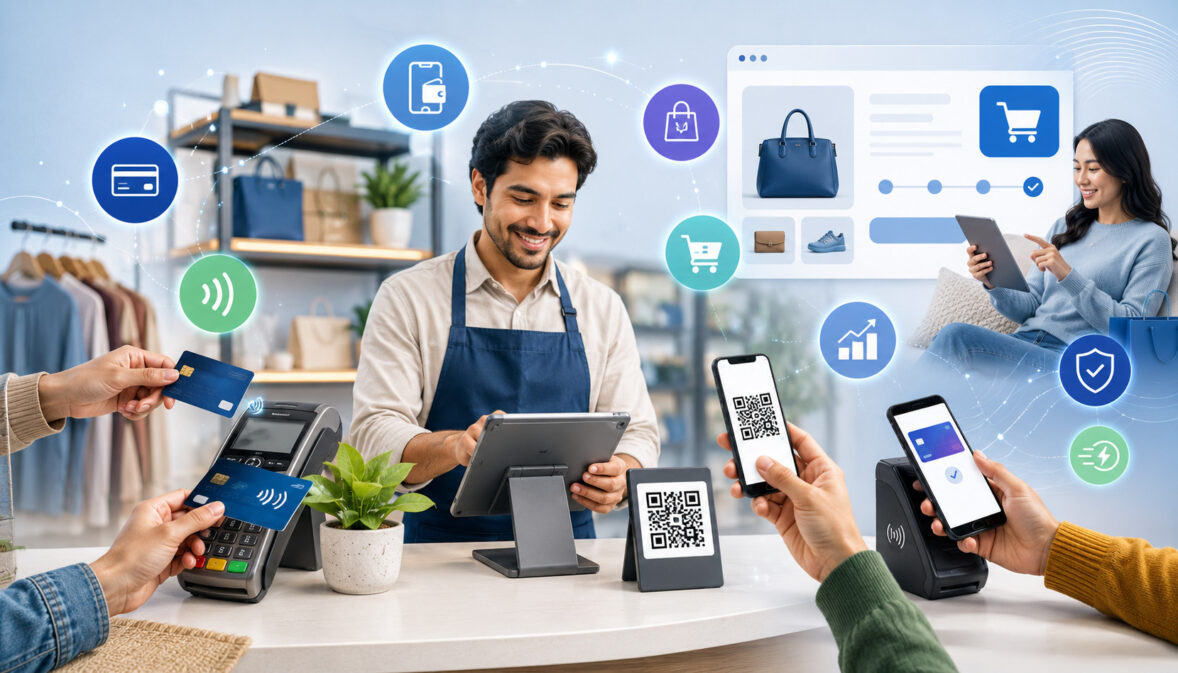
The benefits of multi-payment support for merchants go far beyond simply letting customers choose between a card and cash. Modern businesses often sell across many environments: in-store checkout, online checkout, mobile service calls, invoices, subscriptions, delivery orders, events, and remote consultations.
Customers also bring different payment habits with them. Some prefer credit card payments, some use debit card payments, some want digital wallets, some need invoice payments, and others expect recurring billing or ACH payments for larger transactions.
Multi-payment support helps merchants meet those different needs without forcing every customer into one payment path. When payment acceptance options fit the way customers already buy, the checkout process can feel smoother, faster, and more trustworthy.
For merchants, the right payment method support can also improve remote collection, reduce manual follow-up, organize reporting, and support long-term business scalability.
At the same time, multi-payment support should be managed carefully. More business payment options can mean more reporting, more reconciliation steps, different settlement timelines, different transaction fees, and additional security responsibilities.
The goal is not to accept every possible payment method. The goal is to choose flexible payment solutions that match the business model, customer payment preferences, risk level, sales channels, and accounting workflow.
What Multi-Payment Support Means
Multi-payment support means a business can accept more than one type of payment across one or more sales channels. For example, a retail store may accept chip cards, contactless payments, digital wallets, and QR code payments at the counter.
A service business may accept card payments, ACH payments, payment links, deposits, invoice payments, and recurring billing. An eCommerce seller may support card-not-present payments, digital wallets, payment gateway transactions, guest checkout, refunds, chargebacks, and order confirmations.
Multi-payment support for merchants is not only about adding buttons to a checkout page. It also includes the systems that authorize payments, settle funds, organize batch settlement, send receipts, manage refunds, track chargebacks, and connect reports to accounting records.
A business may offer several merchant payment options, but if those options are disconnected, hard to reconcile, or confusing for customers, the setup can create more problems than it solves.
A strong multi-payment setup usually includes payment acceptance, security controls, customer communication, reporting, and operational procedures. Payment data should be protected through appropriate tools such as encryption, tokenization, secure checkout forms, user permissions, and PCI compliance practices.
Reports should make it possible to understand which transactions came from POS payments, online checkout, invoices, payment links, ACH, mobile payments, or recurring billing.
In practical terms, multi-payment support gives merchants the ability to say “yes” to more customer payment situations. A customer at a counter can tap a card. A customer on a phone can receive a payment link.
A client with a monthly service plan can use recurring payments. A business customer can pay by invoice or ACH. This flexibility can make payment operations more useful, but only when merchants manage the payment method mix with strategy and discipline.
Why Merchants Need Multiple Payment Options
Merchants need multiple payment options because customers do not all pay the same way. Payment preferences can vary by purchase size, age group, sales channel, device type, urgency, business model, and trust level.
A customer buying lunch in person may prefer a contactless card or digital wallet. A customer booking a home service may prefer a deposit by payment link. A business client may need an invoice and ACH option. A subscription customer may prefer a stored payment method with automatic billing.
Limited payment acceptance options can create checkout friction. If a customer wants to pay remotely but the merchant only accepts in-person POS payments, the sale may be delayed.
If an online buyer wants to use a digital wallet but the checkout only accepts manually entered card payments, the customer may abandon the purchase. If a business customer needs invoice payments but the seller only accepts immediate card payments, the merchant may lose convenience for that client.
Multiple payment methods for businesses can also reduce unnecessary manual work. Instead of calling customers for card details, writing down payment information, or waiting for checks, merchants can use secure payment links, invoices, online checkout, mobile terminals, or recurring billing. This can help create cleaner records and reduce back-and-forth communication.
Payment flexibility for merchants is especially important for businesses that sell in more than one way. A retailer may sell in-store and online. A restaurant may accept table-side payments, online ordering, delivery payments, and catering invoices.
A service business may collect deposits, balances, and recurring maintenance fees. A B2B merchant may need payment terms, ACH, card payments, and invoice tracking. In each case, multi-channel payment support helps the business align payment acceptance with real customer behavior.
Key Benefits of Multi-Payment Support for Merchants
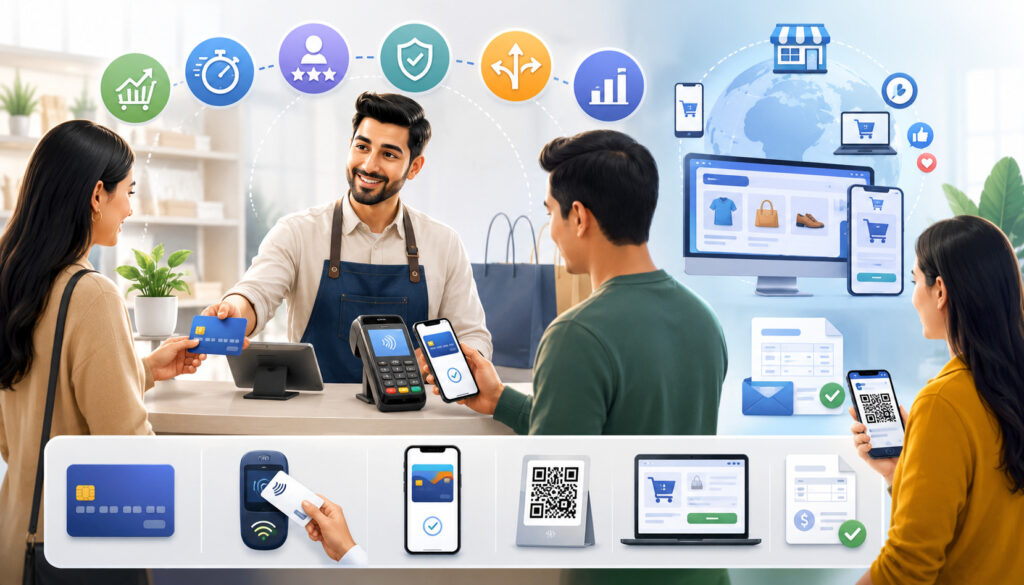
The key benefits of multi-payment support for merchants include convenience, flexibility, better payment collection, improved checkout flow, broader customer reach, stronger trust, and more adaptable operations.
These benefits are practical rather than automatic. Multi-payment support does not guarantee more sales or remove every payment issue, but it can reduce unnecessary friction when implemented well.
For many merchants, the most immediate benefit is customer convenience. When customers can use familiar payment processing options, they may feel more comfortable completing the transaction.
This matters in person, online, over the phone, through invoices, and during recurring billing. Convenient payment experiences can also support customer retention because buyers are less likely to feel forced into a payment method they dislike.
Another benefit is operational flexibility. A merchant with POS payments, online checkout, payment links, invoice payments, and recurring billing can handle more selling situations than a merchant with only one payment path. That flexibility can support appointments, deposits, service calls, subscriptions, B2B invoices, mobile checkout, and remote collections.
Multi-payment support can also improve cash flow visibility when reports are organized correctly. Different payment methods settle at different times, and deposits may not always match gross sales because of fees, refunds, tips, chargebacks, and adjustments.
A structured payment reporting process helps merchants understand what money is expected, what has settled, and what needs follow-up.
Better Customer Convenience
Customer convenience is one of the most important benefits of multi-payment support. Customers usually prefer payment methods that feel familiar, fast, and secure. Some shoppers like credit card payments because they are widely accepted and may offer account-level benefits.
Others prefer debit card payments because they want funds to come directly from their bank account. Mobile-first customers may prefer digital wallets because they reduce typing and speed up checkout.
For service businesses, convenience may look different. A customer may want to pay a deposit by payment link before an appointment. A client may want an invoice with a secure payment button.
A recurring customer may want automatic subscription payments. A mobile business may need a wireless terminal or mobile POS system so payment can be accepted at the customer’s location.
Customer convenience does not mean offering every possible option on every screen. Too many choices can confuse customers if the checkout is not organized. The better approach is to provide the right business payment options for each situation.
A quick-service counter may need fast contactless payments. A professional service business may need invoices and ACH. An online seller may need card payments and digital wallets. Convenience improves when payment choice matches the way customers naturally buy.
Fewer Checkout Barriers
Checkout barriers happen when customers are ready to pay but the available payment methods do not fit the situation. A customer may not have a specific card available. Another may prefer contactless payments for speed.
A remote customer may need a payment link. A business buyer may need an invoice for internal approval. When merchants support multiple payment options, they can reduce these barriers before they interrupt the sale.
In online checkout, barriers often appear when customers must type too much information, create an account unnecessarily, or re-enter card details on a mobile device.
Digital wallets, guest checkout, stored payment methods, and clear payment forms can reduce friction. For in-person checkout, tap-to-pay cards, mobile wallets, and NFC-enabled devices can help customers move through the line faster.
Fewer checkout barriers can also reduce manual exceptions. If staff must repeatedly create workarounds, accept delayed payment, or send follow-up reminders because the right payment method is unavailable, operations become less efficient. Multi-payment support gives businesses more structured ways to collect payment while maintaining clearer records.
Improved Sales Opportunities
Flexible payment support may help merchants complete more transactions across in-person, online, mobile, and remote sales environments. This does not mean multi-payment support guarantees more revenue. It means fewer customers are blocked by payment limitations when they are ready to buy.
If a customer wants to pay online, the merchant can offer online checkout. If a client wants to pay after receiving an invoice, the merchant can provide invoice payment options. If a buyer is away from the counter, a mobile terminal or payment link may help complete the transaction.
Sales opportunities can also expand when a business supports more than one channel. A retailer may add online ordering. A restaurant may accept delivery payments and catering deposits.
A mobile service provider may accept payments at the job site. A subscription business may use recurring billing to support repeat services. Each sales channel may require a different payment workflow.
The payment method mix should be reviewed regularly. If most customers still use cards in person, POS payments may remain central. If mobile checkout is growing, digital payment options may deserve more attention.
If invoices are slow to collect, payment links or ACH may help. Improved sales opportunities come from aligning payment acceptance with actual customer behavior.
Stronger Customer Trust
Customers often judge a business by the checkout experience. Recognizable, secure, and convenient payment options can help customers feel more confident when completing a purchase.
This is especially important for card-not-present payments, online checkout, invoice payments, and payment links, where the customer cannot physically see a terminal or staff member handling the transaction.
Trust depends on more than payment logos or checkout buttons. Customers need clear totals, secure payment forms, professional receipts, recognizable billing descriptors, refund clarity, and timely confirmations.
If a customer receives a confusing receipt or does not recognize a charge, the risk of support calls or disputes can increase. Strong payment communication supports trust before and after the transaction.
Security also affects trust. Merchants should use appropriate fraud prevention tools, tokenization, encryption, access controls, and PCI compliance practices.
Customers do not need every technical detail, but they do expect their payment data to be handled responsibly. A well-managed multi-payment setup helps merchants offer payment flexibility without sacrificing confidence.
Better Operational Flexibility
Operational flexibility is a major advantage of multi-payment support. Different business situations require different payment workflows. A walk-in customer may pay at a POS terminal. An online buyer may use a payment gateway.
A service client may pay through an invoice. A subscription customer may be billed automatically. A B2B customer may prefer ACH or commercial card payments. A mobile business may need payment acceptance away from a fixed counter.
Flexible payment solutions allow merchants to design workflows around real operations. For example, a repair business can collect a deposit before ordering parts, send a balance invoice after completion, and accept card payments in the field.
A restaurant can support table-side payments, online ordering, tips, refunds, and digital receipts. A multi-location retailer can track deposits, refunds, and reports by location.
Operational flexibility should still be controlled. Staff need training, permissions should match job duties, and reports should separate payment methods clearly. Without structure, multiple payment support can become messy. With good procedures, it can help businesses handle more customer scenarios with fewer manual gaps.
Multi-Payment Support Benefits Table
The table below summarizes how multi-payment support can help merchants across customer experience, operations, reporting, and scalability. It is not a promise of results. It is a practical guide to the ways different payment acceptance options may support business needs when they are selected carefully.
| Benefit | How It Helps Merchants | Payment Methods Involved | Business Example | Key Consideration |
| Customer convenience | Lets customers choose familiar ways to pay | Cards, digital wallets, ACH, invoices, payment links | A customer taps a wallet at checkout instead of entering card details | Keep choices relevant and easy to understand |
| Checkout speed | Reduces friction during busy periods | Contactless payments, mobile wallets, POS payments | A cafe moves lines faster with tap-to-pay | Train staff on terminal prompts and receipts |
| Remote payment collection | Helps collect payment when the customer is not present | Payment links, invoice payments, virtual terminal, ACH | A service business sends a secure payment link after an appointment | Use secure forms and clear payment instructions |
| Recurring billing | Supports repeat charges for ongoing services | Card-on-file, ACH, subscription payments | A membership business bills customers automatically | Clearly explain billing terms and cancellation rules |
| Cash flow visibility | Helps track expected deposits and payment timing | Card settlement, ACH reports, batch settlement | A finance team reviews expected deposits by payment type | Reconcile deposits against reports regularly |
| Better reporting | Separates sales by method and channel | POS reports, gateway reports, invoice reports | A retailer compares in-store card payments with online checkout | Connect reporting to accounting where possible |
| Customer retention | Makes repeat payment easier for regular customers | Stored payment methods, recurring billing, digital wallets | A repeat client pays invoices through saved details | Protect stored payment data responsibly |
| Scalability | Supports new channels and business models | Omnichannel payments, mobile payments, eCommerce payments | A store adds online sales and mobile event checkout | Review costs, security, and integrations before expanding |
Common Payment Methods Merchants Can Support
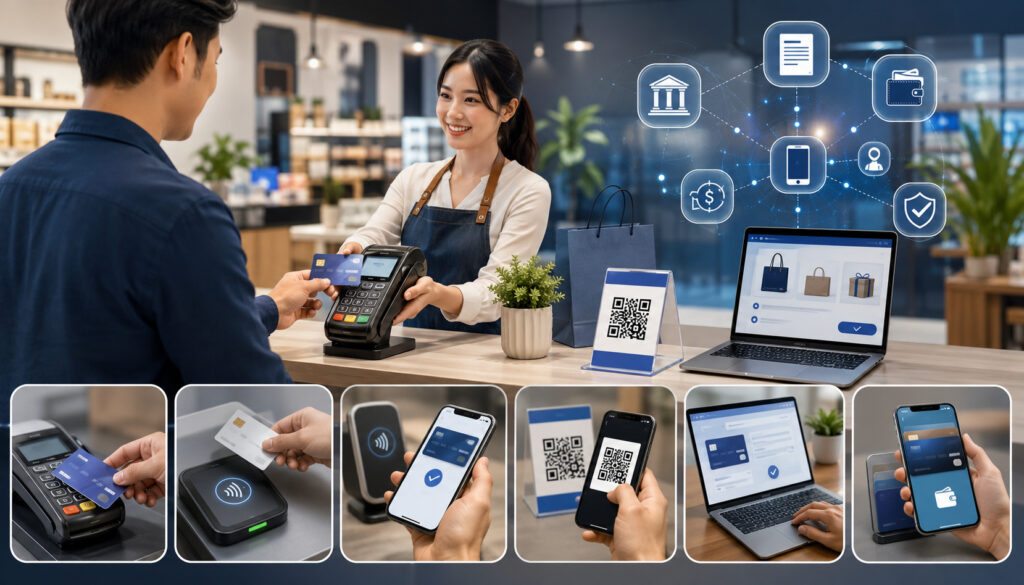
Merchants can consider several payment methods depending on their customer base, business model, transaction size, and sales channels. The best payment method support is usually a balanced mix, not a long list.
A small retail store may need card payments, digital wallets, and contactless payments. A service business may need invoices, payment links, and mobile payments. A subscription business may need recurring billing and failed payment reporting. A B2B business may need ACH, invoice payments, and commercial card acceptance.
Payment processing options also come with different cost, settlement, security, and reporting requirements. Card-present payments may have different risk and cost considerations than card-not-present payments.
ACH may be useful for certain invoice or recurring scenarios, but merchants must consider authorization, return handling, timing, and communication. Digital wallets can improve mobile checkout convenience, but they still need proper reporting and reconciliation.
Credit and Debit Card Payments
Credit and debit card payments are among the most common merchant payment options because they work across many environments.
A merchant can accept cards at a POS terminal, through online checkout, by invoice, through a virtual terminal, using a mobile reader, or through a payment link. Cards are familiar to customers and can support quick authorization, refunds, receipts, and reporting.
A card transaction generally includes authorization and settlement. Authorization is the process of checking whether the transaction can be approved. Settlement is the process that moves funds toward the merchant after transactions are batched and processed.
Merchants should understand batch settlement, funding timelines, card-present payments, card-not-present payments, and how deposits appear in the bank account.
Card payments also involve fees, refunds, declines, and chargebacks. A refund returns funds to the customer after a completed sale.
A chargeback is a dispute process that may require documentation, order records, delivery proof, customer communication, or refund history. Merchants should keep accurate records and review card processing costs as part of the overall payment method mix.
Digital Wallet Payments
Digital wallets allow customers to pay using stored payment credentials on a phone, watch, browser, or other supported device.
They are useful for mobile payments, online checkout, and contactless payment environments because they can reduce typing and speed up the payment flow. For customers who already use wallets regularly, this can make checkout feel smoother and more familiar.
Digital wallet support can be especially useful for eCommerce payments. Mobile buyers may not want to manually enter card numbers, billing addresses, and security codes on a small screen. A wallet option can shorten the checkout process and may reduce abandoned carts caused by form friction. In person, wallets can support tap-to-pay experiences at NFC-enabled terminals.
Merchants still need to review reporting, settlement, refunds, and dispute handling for wallet transactions. Although the customer experience may look different, wallet payments often connect to underlying card or bank-based funding sources. Merchants should confirm how wallet transactions appear in reports so accounting teams can reconcile them accurately.
ACH and Bank-Based Payments
For more background on ACH payments, the official ACH payments fact sheet explains how the ACH Network supports electronic payment choices for businesses and consumers.
ACH payments and other bank-based payments can be useful for invoices, subscription payments, larger transactions, and B2B payment workflows. Instead of using a card network, these payments move through bank-based rails.
For some merchants, ACH may be attractive for recurring billing or larger invoices because it can fit accounting workflows and customer expectations.
ACH payments require proper authorization from the customer. Merchants should maintain records showing that the customer agreed to the payment terms. They should also understand returns, timing, payment confirmation, and account update procedures. ACH is not identical to card payments, and the operational workflow can differ.
Bank-based payment options may be useful when customers prefer not to use cards for large balances or recurring service fees. However, merchants should compare settlement timing, return risk, authorization requirements, and reporting needs. ACH can be a helpful part of multi-payment support, but it should be implemented with clear procedures.
Contactless Payments
Contactless payments allow customers to tap a card, phone, watch, or supported device near an enabled terminal. These payments can improve in-person checkout speed, especially in environments with lines, quick transactions, or high customer movement.
Retail stores, restaurants, service counters, events, and pop-up sellers may benefit from faster card-present checkout.
Contactless payments are popular because they feel quick and simple for customers. They also reduce the need to insert or swipe a card in many situations. For merchants, contactless support can help keep checkout moving while still generating POS records, receipts, refunds, and settlement reports.
Merchants should make sure staff know how to guide customers through contactless prompts. Terminals should be configured correctly, receipts should be available when needed, and refund procedures should be clear. Contactless payment support works best when it is part of a well-trained POS workflow rather than a feature staff rarely use.
Mobile Payments
Mobile payments help businesses accept payments away from a fixed checkout counter. This may include mobile card readers, wireless terminals, payment apps, tablet POS systems, and mobile POS devices. Mobile payment support is useful for food trucks, event vendors, field services, delivery businesses, contractors, market sellers, and table-side service.
A mobile payment setup can support card payments, contactless payments, digital wallets, tips, receipts, invoices, and payment links depending on the tools used. For businesses that operate in multiple locations or customer sites, mobile payments can reduce the need to collect payment later. This can improve convenience and help records stay closer to the actual sale.
Merchants should review device security, internet connectivity, battery life, user permissions, refund access, and reporting. Mobile payments may look simple at the point of sale, but they still require secure handling and reconciliation. A lost or shared device without proper permissions can create unnecessary risk.
Payment Links
Payment links allow merchants to send customers a secure checkout page through email, text, invoice, chat, or another customer communication channel.
They are useful when the customer is not physically present or when a business wants to collect payment without taking card details manually. Payment links can support service balances, deposits, remote orders, consultation fees, event registrations, and follow-up payments.
A payment link can reduce manual work because the customer enters payment details directly into a secure form. This helps avoid risky practices such as writing down card numbers or taking payment details through unprotected channels. It can also create clearer records because the payment link is usually connected to a transaction, invoice, customer record, or order.
Merchants should keep payment link communication clear. The message should explain what the customer is paying for, the amount due, accepted payment methods, and any deadline. The payment page should look trustworthy, and confirmation should be sent promptly after payment.
Invoice Payments
Invoice payments are important for service businesses, B2B merchants, contractors, consultants, wholesalers, and businesses that bill after work is completed.
An invoice can show line items, taxes, deposits, balances, payment terms, due dates, and accepted payment methods. When invoices include secure payment options, customers can pay without mailing checks or calling with card details.
Invoice payments can support larger transactions, project billing, retainers, milestones, and recurring service arrangements. They also help finance teams track what has been billed, what has been paid, what is overdue, and what needs follow-up. For businesses that rely on accounts receivable, invoice payment support can improve organization.
Merchants should define invoice terms clearly. Customers should know when payment is due, what methods are accepted, how refunds or credits are handled, and whom to contact with questions. Invoice reports should connect to accounting processes so payments can be matched to open balances.
Recurring Billing and Subscription Payments
Recurring billing and subscription payments allow merchants to charge customers on a set schedule for memberships, service plans, subscriptions, retainers, maintenance agreements, or repeat deliveries.
This can make repeat payment easier for both the customer and the merchant. The customer does not need to manually pay each time, and the merchant can reduce repetitive billing tasks.
Recurring billing requires clear customer consent, secure storage of payment credentials, cancellation policies, retry workflows, and failed payment reporting. Merchants should communicate billing dates, amounts, renewal terms, and receipt details. Customers should have a way to update payment information and ask questions.
Recurring payment workflows also need strong data security. Card-on-file payments and stored credentials should be handled through secure systems that use tokenization and appropriate access controls. Staff should not store sensitive payment data in notes, spreadsheets, emails, or unprotected systems.
QR Code Payments
QR code payments connect customers to a payment page, invoice, menu, checkout form, or payment link through a scannable code. They can be useful for restaurants, events, service counters, invoices, mobile sellers, donation-style payments, and contact-light checkout. A customer scans the code and follows the payment flow on their own device.
QR code payments can reduce hardware dependency in some situations, but they still require secure payment pages and clear instructions. The customer should know exactly what they are paying for before submitting payment. Merchants should make sure QR codes point to legitimate payment pages and are not replaced or altered.
Reporting is important for QR code payments. If different QR codes are used for different locations, events, tables, departments, or invoices, the merchant should be able to track each source. This helps with reconciliation, customer support, refunds, and performance analysis.
Payment Method Comparison Table
The right payment method depends on how customers buy and how the business operates. This comparison table can help merchants evaluate payment acceptance options without assuming one method is best for every situation.
| Payment Method | Best Use Case | Customer Experience | Settlement Considerations | Reporting Needs | Cost Factors to Review |
| Credit and debit cards | In-person, online, mobile, invoice, phone-based payment workflows | Familiar and widely used | Usually tied to authorization, batch settlement, and deposit timing | Card-present vs card-not-present reports, refunds, chargebacks | Transaction fees, interchange-related costs, gateway fees, chargeback fees |
| Digital wallets | Mobile checkout, contactless checkout, eCommerce payments | Fast and convenient for wallet users | Often follows underlying funding source rules | Wallet transaction labels, refunds, channel tracking | Card-related costs, gateway support, device compatibility |
| ACH payments | B2B invoices, subscriptions, larger balances | Useful for bank-based payment preferences | Timing may differ from card settlement | Authorization records, returns, invoice matching | ACH fees, return fees, account verification tools |
| Contactless payments | Fast in-person checkout | Tap-and-go experience | Usually part of card-present settlement | POS reports, terminal batches, refund logs | Terminal costs, card-present transaction costs |
| Mobile payments | Field service, events, delivery, mobile businesses | Convenient away from a fixed counter | Depends on terminal, app, or gateway setup | User-level reports, location reports, mobile device records | Hardware, software, data connection, transaction fees |
| Invoice payments | Service, B2B, deposits, balances | Clear billing document with payment path | Depends on selected payment method | Open invoices, paid invoices, partial payments | Invoice software, card or ACH fees, late follow-up costs |
| Payment links | Remote payment collection | Simple link-based checkout | Depends on card, wallet, or bank method used | Link status, payment confirmation, customer records | Gateway fees, card-not-present costs, messaging workflow |
| Recurring payments | Subscriptions, memberships, retainers | Automatic billing after authorization | Scheduled settlement and failed payment handling | Renewal reports, failed payments, cancellations | Card-on-file costs, ACH fees, retry tools, dunning management |
| QR code payments | Events, menus, counters, invoices | Customer scans and pays on device | Depends on linked checkout method | QR source tracking, transaction matching | Payment page costs, gateway fees, fraud controls |
Multi-Payment Support and Customer Experience
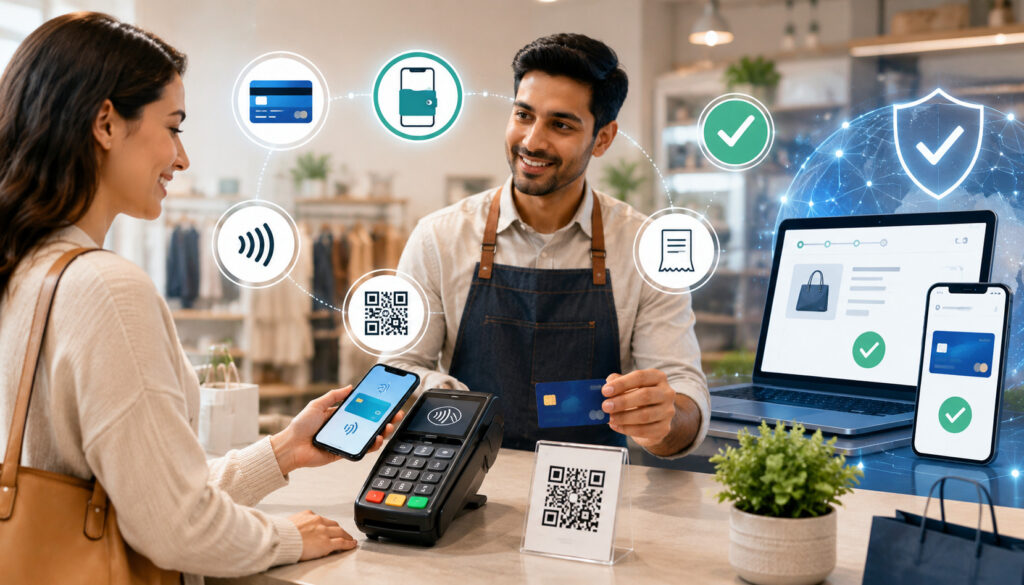
Multi-payment support can shape the customer experience from the moment a buyer reaches checkout to the moment they receive a receipt.
Customers want to know what payment methods are accepted, how much they owe, whether the payment was successful, how refunds work, and what charge description will appear on their account. When payment communication is clear, customers are less likely to feel uncertain after the transaction.
Payment choice also supports different customer habits. Some customers prefer cards because they are familiar. Others prefer digital wallets because they are faster on mobile devices. Some clients need invoices for approval.
Some recurring customers want automatic billing so they do not miss payments. Multi-payment support gives merchants a way to serve these preferences without creating a separate manual process for each customer.
The goal is not to overwhelm customers. A cluttered checkout with too many unclear options can reduce confidence. Merchants should present the most relevant options for the sales channel. For example, an eCommerce checkout may highlight cards and digital wallets, while a B2B invoice may highlight ACH and card payment options.
Faster Checkout
Faster checkout can improve the payment experience for both customers and staff. In-person, contactless payments and digital wallets can reduce time spent inserting cards, entering PINs, or handling slow terminal prompts. Online, digital wallets and stored payment methods can reduce the amount of information customers need to type.
Faster checkout also depends on design. Buttons should be clear, totals should be visible, and errors should be easy to understand. If a card is declined, the customer should know whether to try another card, use a wallet, contact the card issuer, or choose another available payment option. A confusing decline message can create frustration even if other payment options exist.
Merchants should test checkout regularly on different devices and sales channels. A payment method that works well on desktop may be harder to use on mobile. A terminal that works well at a counter may be less convenient for curbside or table-side service. Speed improves when the payment flow matches the customer environment.
Flexible Customer Payment Preferences
Customer payment preferences vary. Some customers choose payment methods based on convenience. Others choose based on account control, rewards, budgeting, security perception, business policy, or transaction size.
A customer may prefer a debit card for everyday purchases, a credit card for larger purchases, a digital wallet for mobile checkout, or ACH for recurring invoices.
Payment flexibility for merchants helps businesses accommodate these differences without treating every exception manually.
For example, a service provider can accept a deposit by card, a balance by payment link, and future maintenance fees through recurring billing. A B2B merchant can accept invoice payments by ACH or card depending on the client’s accounting process.
Merchants should use payment analytics to understand actual preferences. Customer behavior may differ from assumptions. If digital wallet use is growing online, the checkout should support it clearly. If ACH is rarely used, it may be better reserved for larger invoices rather than promoted everywhere.
Clear Payment Communication
Clear payment communication is essential when a business supports multiple payment methods. Customers should know what methods are accepted before checkout, not after a problem occurs.
Online checkout pages, invoices, receipts, signs, and customer messages should explain totals, accepted payment methods, taxes, tips, service charges where applicable, refund rules, and confirmation steps.
Billing descriptors are also important. If the name on a customer’s statement does not match what they recognize, the customer may call, request a refund, or dispute the charge. Merchants should use clear descriptors when possible and include recognizable information on receipts and confirmations.
Communication should also cover recurring billing. Customers should understand billing frequency, amount, renewal terms, failed payment procedures, and cancellation steps. Clear communication can reduce confusion and help maintain trust after the initial purchase.
Multi-Payment Support for Online and eCommerce Merchants
Online and eCommerce merchants often rely heavily on card-not-present payments, payment gateways, digital wallets, fraud tools, order records, refunds, chargebacks, and checkout conversion.
Multi-payment support can help online buyers complete purchases with the payment method they prefer, especially on mobile devices. However, online payment flexibility must be balanced with fraud prevention and strong records.
A strong online payment setup may include credit and debit card payments, digital wallets, guest checkout, saved payment options, order confirmation, refund tools, and payment method analytics. The payment gateway should connect checkout activity with transaction records so merchants can understand approvals, declines, refunds, disputes, and settlement.
Online merchants should also review the customer journey. A checkout page that asks for unnecessary information, hides fees until late in the process, or does not display trusted payment options clearly may cause customers to leave. Payment acceptance options should make checkout easier, not more complicated.
Online Checkout Flexibility
Online checkout flexibility means customers can complete a purchase without unnecessary payment friction. A buyer may want to use a card, debit card, wallet, stored payment method, or another available option. When the checkout supports relevant payment methods, the customer is less likely to stop because the payment flow does not match their preference.
Flexibility should be organized. The checkout should display options clearly and avoid overwhelming the customer with unrelated choices. The most common options should be easy to find. Error messages should explain what happened if a transaction fails. Receipts and order confirmations should be sent promptly.
Merchants should also consider guest checkout. Some customers do not want to create an account before buying. If account creation is required too early, checkout friction may increase. Payment flexibility works best when the overall checkout process is simple and trustworthy.
Digital Wallet Support for Mobile Buyers
Digital wallet support can be especially helpful for mobile buyers. Typing card numbers, billing addresses, and security details on a small screen can be inconvenient. A digital wallet may reduce manual entry and help customers complete payment faster. This can improve the mobile checkout experience, especially for repeat customers and quick purchases.
Mobile wallet support should be tested on different devices and browsers. A payment button that appears correctly in one environment may not appear in another. Merchants should check that totals, shipping details, billing information, and order confirmations work smoothly when wallet payments are used.
Wallet transactions should also be included in reporting. Merchants should know how these payments appear in gateway reports, settlement reports, refund records, and analytics. Customer convenience should not create accounting confusion.
Fraud and Chargeback Considerations
Online merchants should balance payment convenience with fraud prevention. Card-not-present transactions can carry different risk considerations than in-person payments. Merchants should use appropriate tools such as address verification, security code checks, transaction monitoring, velocity controls, order review procedures, and clear fulfillment records.
Chargeback documentation is especially important for online sales. Merchants should keep order confirmations, customer communication, shipping or delivery records, refund policies, and proof of service where applicable. If a dispute occurs, organized records can help the merchant respond more effectively.
Fraud prevention should not make checkout impossible for legitimate customers. Overly strict filters may block valid orders, while weak controls may increase risk. Merchants should review decline rates, chargeback trends, refund patterns, and suspicious activity by payment method and sales channel.
Multi-Payment Support for In-Person Merchants
Businesses that accept payments outside a fixed checkout counter can review this guide on mobile payment processing for small businesses to better understand mobile card readers, payment links, QR code payments, mobile invoices, and portable POS tools.
In-person merchants can use multiple payment methods to support faster checkout, customer choice, and better POS reporting. A physical business may accept chip cards, contactless cards, digital wallets, cash, QR code payments, mobile terminals, tips, split payments, and refunds.
These options can help retail stores, restaurants, service counters, pop-ups, market sellers, and event businesses serve customers in different checkout situations.
In-person payment flexibility matters because customer expectations at checkout are immediate. If a line is long, slow payment acceptance can hurt the experience.
If customers expect to tap a card or phone but the terminal does not support contactless payments, checkout may feel outdated. If a restaurant needs table-side payment but only has a fixed counter terminal, staff may spend extra time moving cards back and forth.
A good in-person setup should include staff training, secure terminals, clear receipts, refund procedures, tip settings where relevant, and location-level reporting. Merchants should also monitor hardware performance, connectivity, and batch settlement to avoid end-of-day surprises.
POS Payment Options
A POS system can support several payment acceptance options in one checkout workflow. Depending on the setup, POS payments may include chip cards, contactless cards, digital wallets, manually entered cards, tips, discounts, refunds, exchanges, receipts, customer profiles, and reporting. This can make the POS system the operational center for in-person payment activity.
POS payment options are especially useful when connected to inventory, sales reporting, customer records, and accounting exports. A retail store can track sales by product and payment method. A restaurant can connect checks, tips, and staff reports. A service counter can connect deposits, balances, and receipts.
Merchants should confirm that POS reports are understandable. If staff cannot identify refunds, voids, batch totals, tips, or settlement details, reconciliation becomes harder. POS payment flexibility should be matched with clear end-of-day procedures.
Contactless and Mobile Checkout
Contactless and mobile checkout can help businesses serve customers in lines, curbside setups, table-side service, events, and temporary selling locations. A wireless terminal or mobile POS device can bring payment acceptance to the customer instead of requiring the customer to move to a counter. This can improve convenience and reduce bottlenecks.
Contactless payments can also support faster in-person transactions. Customers can tap a card or device, receive confirmation, and move on. In high-traffic settings, a few seconds saved per transaction can make checkout feel smoother for everyone.
Mobile checkout requires reliable devices and staff procedures. Businesses should manage device charging, connectivity, user permissions, refund access, and secure storage. Staff should know what to do if a payment fails, a receipt is requested, or a customer needs a refund.
Multi-Payment Support for Service Businesses
Service businesses often need payment flexibility because the sale does not always happen at a checkout counter. Customers may book appointments, approve estimates, pay deposits, receive invoices, pay balances, store cards for future work, or enroll in recurring service plans. Multi-payment support can help service businesses collect payments in ways that match the service workflow.
Common payment options for service businesses include invoices, payment links, deposits, mobile payments, card-on-file payments, ACH, and recurring billing. These methods can reduce manual follow-up and help businesses keep records connected to customers, appointments, projects, and balances.
Service businesses should clearly explain payment terms before work begins. Customers should know whether a deposit is required, when the balance is due, what payment methods are accepted, and how refunds or cancellations are handled. Payment flexibility works best when expectations are clear.
Deposits and Partial Payments
Deposits and partial payments are useful when a business needs commitment before providing labor, ordering materials, reserving time, or starting a project. A merchant may collect an initial deposit by payment link, invoice, card payment, or ACH. Later, the remaining balance can be collected after completion or at specific milestones.
Partial payment support can improve organization by tying each payment to a customer record or invoice. This helps staff see what has been paid and what remains outstanding. It also gives customers a clearer view of their balance.
Merchants should define deposit terms carefully. Customers should understand whether a deposit is refundable, when the balance is due, and how changes or cancellations are handled. Clear records reduce confusion and help support customer service.
Remote Payment Collection
Remote payment collection helps service businesses get paid without requiring the customer to visit a location or provide card details over the phone. Payment links and online invoices are especially useful for this. The customer receives a secure payment option and completes the transaction on their own device.
Remote payment tools can reduce manual follow-up. Instead of calling customers repeatedly, a business can send reminders, invoice links, and confirmations. This can help teams track which payments are pending and which have been completed.
Merchants should make remote payment messages specific. The customer should see the amount, service description, due date, and payment instructions. Generic or unclear payment requests may reduce trust and delay payment.
Multi-Payment Support for Subscription and Recurring Businesses
Subscription and recurring businesses rely on repeat payment workflows. These businesses may include memberships, maintenance plans, software services, education programs, delivery services, professional retainers, and other ongoing arrangements.
Multi-payment support can help these merchants offer recurring card payments, ACH payments, card-on-file billing, renewal notices, payment retries, and failed payment reporting.
Recurring payment workflows require careful customer communication. Customers should understand what they are agreeing to, how often they will be billed, what amount will be charged, how they can update payment details, and how they can cancel if allowed by the agreement. Clear terms help reduce confusion and support trust.
Security is especially important for recurring billing because payment credentials may be stored through tokenization or other secure methods. Staff should not store card numbers manually. Access to billing settings, refunds, and customer payment profiles should be limited to authorized employees.
Recurring Billing Convenience
Recurring billing can make repeat payment easier for customers and merchants. Customers do not need to manually pay each billing cycle, and merchants can reduce repetitive invoice reminders. This is useful for memberships, subscriptions, service plans, retainers, and ongoing customer relationships.
Automatic billing also supports predictable operations when managed carefully. Merchants can review upcoming billing, expected revenue, failed payment reports, cancellations, and customer updates. This information can help with cash flow planning and customer service.
Convenience depends on transparency. Customers should receive confirmations, receipts, and reminders where appropriate. They should also have a clear way to update payment details. If customers feel surprised by a recurring charge, disputes and cancellations may increase.
Failed Payment Management
Failed payments are common in recurring billing. Cards expire, bank details change, accounts lack funds, or security checks decline a transaction. A strong multi-payment setup should include failed payment reporting, retry workflows, customer reminders, and easy payment updates.
Merchants should monitor failure rates by payment method. If many recurring card payments fail because of expired cards, account update tools or reminder messages may help. If ACH returns increase, authorization procedures and customer communication may need review.
Failed payment management should balance persistence with customer respect. Repeated aggressive messages can frustrate customers, while no follow-up can lead to lost revenue. Clear reminders, helpful instructions, and accurate reporting create a better process.
Multi-Payment Support for B2B Merchants
B2B merchants often need different payment workflows than consumer-focused businesses. Business customers may require invoices, payment terms, purchase order references, ACH payments, commercial card acceptance, larger transaction support, payment links, and detailed receipts.
Multi-payment support can help B2B merchants adapt to client accounting workflows while maintaining internal control.
Invoice payments are often central in B2B transactions. A customer may need documentation before payment approval. ACH may be useful for larger balances or recurring business payments.
Commercial cards may be preferred by some buyers for expense management. Payment links can help clients pay invoices more conveniently without calling or mailing payment.
B2B merchants should pay close attention to reconciliation. Larger transactions, partial payments, credits, refunds, and payment terms can make accounting more complex. Reports should connect payments to invoice numbers, customer accounts, purchase orders, and settlement deposits.
Payment method flexibility can also support customer relationships. Some clients may prefer ACH for ongoing invoices, while others may prefer card payments for faster processing. The merchant should choose options that balance customer convenience, processing costs, risk, and operational clarity.
How Multi-Payment Support Affects Cash Flow
Multi-payment support can affect cash flow because not all payment methods settle at the same speed or appear in reports the same way.
Card settlement, ACH timing, invoice payment timing, batch settlement, refunds, chargebacks, and adjustments can all change when funds appear in the bank account. Merchants should understand these differences before relying on payment reports for cash flow planning.
Cash flow visibility improves when payment reports show both gross sales and net deposits. Gross sales represent transaction totals before certain deductions or adjustments. Net deposits are what actually reaches the bank account after fees, refunds, chargebacks, tips, adjustments, or timing differences. Confusing these numbers can lead to budgeting mistakes.
Multi-payment support can also improve collection options. A merchant can send payment links for overdue balances, accept ACH for larger invoices, use recurring billing for subscriptions, and collect mobile payments at the point of service. These tools may help reduce delays, but they still need regular monitoring.
Settlement Timing
Settlement timing refers to how long it takes for payment funds to move toward the merchant’s bank account after a transaction is authorized or submitted. Different payment methods can have different timelines.
Card payments may follow batch settlement processes. ACH payments may have separate processing and return timelines. Invoice payments depend on when the customer actually pays.
Merchants should know expected funding times for each payment method they accept. This helps with payroll planning, inventory purchases, vendor payments, and cash flow forecasting. It also helps staff answer customer questions about refunds and pending transactions.
Settlement timing should be reviewed with reports, not assumptions. A transaction may be approved at checkout but not yet included in a deposit. A refund or chargeback may affect a later deposit. A batch may close after the expected cutoff. These details matter for daily cash management.
Net Deposits vs Gross Sales
Net deposits often differ from gross sales. A business may process a certain amount in sales, but the bank deposit may be lower because of transaction fees, refunds, chargebacks, tips, adjustments, or settlement timing. This is normal in many payment workflows, but it must be understood and tracked.
For example, a restaurant may have tips included in card batches. A retailer may process refunds after the original sale. An online seller may see chargebacks deducted from future deposits. A service business may receive partial invoice payments. Each situation can create differences between sales reports and bank activity.
Merchants should reconcile deposits against settlement reports. Accounting teams should not rely only on bank deposits to understand sales performance. Gross sales, net deposits, refunds, fees, and disputes should be reviewed together.
Payment Forecasting
Payment forecasting uses reports to estimate incoming funds. Merchants can review authorized transactions, open invoices, pending ACH payments, recurring billing schedules, and expected batch deposits. This helps businesses plan expenses, inventory, payroll, and vendor payments more responsibly.
A strong forecasting process should separate payment methods. Card batches may settle differently than ACH. Invoice payments may depend on customer behavior. Recurring billing may create predictable patterns but still include failed payments. Payment links may remain unpaid until the customer acts.
Payment analytics can improve forecasting over time. If a business knows that certain invoices are usually paid within a certain period, or that recurring billing failures often happen at a specific point, it can plan more accurately. Multi-payment support creates more data, and that data should be used.
Cost Considerations for Multiple Payment Methods
Multiple payment options may have different cost structures. Merchants should review transaction fees, gateway fees, ACH fees, digital wallet costs, card-present and card-not-present costs, refund fees, chargeback fees, monthly software fees, hardware costs, PCI-related costs, and reporting tool costs. Exact costs vary by provider, contract, payment method, risk profile, and sales channel.
Cost should be evaluated alongside customer convenience and operational efficiency. A payment method may cost more per transaction but reduce collection delays or improve checkout completion.
Another method may appear inexpensive but require extra manual work, customer follow-up, or reconciliation time. The best payment method mix balances cost, experience, and workflow.
Merchants should read merchant account terms and payment processor agreements carefully. Important items may include pricing model, monthly fees, gateway fees, batch fees, chargeback fees, cancellation terms, hardware terms, and statement details. Businesses should also review whether reporting tools are included or added separately.
Compare Total Cost, Not Only Rates
Merchants should compare total cost, not only advertised rates. A low transaction rate may not reflect gateway fees, monthly minimums, software costs, terminal costs, chargeback fees, refund fees, or PCI-related fees. Total cost includes everything required to accept, manage, secure, and reconcile payments.
Card-present and card-not-present payments may also carry different cost considerations. Online transactions, manually entered transactions, and certain invoice payments may be treated differently from chip or tap transactions. Merchants should understand how each payment method is categorized in statements.
Total cost should include labor. If a payment method requires manual entry, repeated follow-up, or complicated reconciliation, that time has value. A slightly higher-cost automated workflow may be more practical than a low-cost manual process.
Review Payment Method Mix
Payment method mix refers to the share of transactions processed through each payment type. For example, a merchant may process a certain percentage through debit cards, credit cards, digital wallets, ACH, invoices, payment links, and recurring billing. This mix affects cost, settlement timing, reporting, and customer experience.
Tracking the payment method mix helps merchants identify trends. If more customers are using wallets, the business may need to improve mobile checkout. If invoice payments are increasing, accounting tools may need better integration. If card-not-present volume is growing, fraud prevention and chargeback monitoring may need more attention.
Merchants should not assume the payment method mix stays the same forever. Customer behavior changes as sales channels, devices, and business models change. Regular review helps the business adjust strategically.
Balance Cost With Customer Convenience
The lowest-cost payment method is not always the best option if it creates payment friction. A merchant may prefer one payment method, but customers may prefer another. If customers cannot pay the way they expect, the business may face delayed payment, abandoned checkout, or more support requests.
Cost and convenience should be balanced by transaction type. ACH may be practical for larger invoices or recurring payments. Contactless cards and digital wallets may be practical for fast in-person checkout. Payment links may be practical for remote service balances. Online checkout may need wallets and cards to support mobile buyers.
Merchants should review both financial and operational outcomes. A payment method that customers use frequently and that fits reporting workflows may deserve support even if it is not the lowest-cost option.
Security Considerations for Multi-Payment Support
For payment card security, merchants can review the official PCI Security Standards Council merchant resources, which explain payment data protection responsibilities and security best practices.
Security must be part of payment flexibility. When merchants accept card payments, digital wallets, ACH, invoices, payment links, mobile payments, and recurring billing, they must protect payment data across multiple environments.
Security considerations include PCI compliance, encryption, tokenization, secure checkout, access controls, device security, fraud filters, transaction monitoring, user permissions, and staff training.
PCI compliance applies to businesses that store, process, or transmit payment card data, and the standard is designed to protect cardholder data through security controls such as secure networks, access control, monitoring, and security policies.
.Merchants should confirm which requirements apply to their payment environment and should avoid storing sensitive card data in unprotected places.
Security also extends beyond technical tools. Staff should know how to handle payment questions, refunds, voids, disputes, and suspicious transactions. Mobile devices should be secured. Admin access should be limited. Payment settings should not be changed casually. Fraud prevention should be reviewed regularly.
Protecting Payment Data
Protecting payment data means reducing exposure to sensitive information. Merchants should use secure payment forms, tokenization, encryption, hosted checkout where appropriate, and access controls. Tokenization replaces sensitive payment details with a token that can be used for future processing without exposing the original data in the merchant’s systems.
Merchants should avoid writing down card numbers, storing payment details in spreadsheets, saving card data in email, or allowing staff to share login credentials. These practices can increase risk and make compliance harder. Payment data should only be handled through approved systems and workflows.
Secure checkout should also apply to invoices, payment links, online checkout, virtual terminal use, and recurring billing. A payment link is only helpful if it points to a secure and legitimate payment page. Customers should not be asked to send sensitive payment information through unprotected messages.
Fraud Prevention
Fraud prevention is important for both online and in-person merchants. Tools may include address checks, security code checks, transaction limits, velocity filters, order review, device monitoring, delivery confirmation, refund controls, and customer verification. The right approach depends on the sales channel and risk level.
Online merchants should pay special attention to card-not-present fraud. Suspicious orders, mismatched information, unusual order sizes, rapid repeat attempts, and shipping changes may require review. Service businesses should keep signed approvals, project records, and customer communication when collecting remote payments.
Fraud prevention should also be measured. Merchants can review decline rates, refund patterns, chargebacks, and failed payment attempts. If rules are too loose, risk may increase. If rules are too strict, legitimate customers may be blocked. The goal is balanced risk management.
Staff Access and Permissions
Staff access should match job responsibilities. Not every employee needs permission to issue refunds, view reports, change payment settings, export customer data, or access recurring billing profiles. Role-based permissions can reduce mistakes and limit exposure.
Permissions matter more when a business supports multiple payment methods. A staff member handling POS payments may not need access to payment gateway settings. A finance team member may need reports but not refund authority. A manager may need approval access for voids or disputes.
Merchants should review users regularly. Former employees should be removed promptly. Shared logins should be avoided. Password practices, multi-factor authentication where available, and activity logs can help improve accountability.
Multi-Payment Support and Reconciliation
Multi-payment support makes reconciliation more important because payments may come from several systems and settle at different times.
Merchants may need to match POS reports, gateway reports, merchant statements, invoice reports, ACH reports, refund logs, chargeback notices, batch reports, and bank deposits. Without a process, accounting teams may struggle to explain deposit differences.
Reconciliation helps merchants confirm that sales were recorded, payments were processed, refunds were tracked, chargebacks were noted, and deposits were received. It also helps identify errors such as duplicate charges, missing batches, incorrect refunds, or payments applied to the wrong invoice.
A good reconciliation process should be repeatable. Merchants should define who reviews reports, how often deposits are matched, how exceptions are documented, and how unresolved issues are escalated. Payment flexibility is most valuable when the back office can keep up with it.
Organizing Reports by Payment Method
Reports should be organized by payment method and sales channel. Card payments, digital wallets, ACH, invoices, payment links, recurring billing, and QR code payments may need separate tracking. This helps accounting teams understand where payments came from and how they should be matched.
Organized reporting also helps management make better decisions. If a payment method is rarely used but expensive to maintain, it may need review. If a payment method is growing quickly, the business may need better training, fraud controls, or integrations.
Merchants should avoid relying on one report for everything. POS reports may show sales activity, while gateway reports may show authorization and settlement. Bank statements show deposits, but not always the transaction-level details needed for reconciliation.
Reconciling Deposits
Reconciling deposits means matching bank deposits to payment processor reports, batch reports, invoice records, ACH reports, and refund logs. This process helps explain why the bank deposit may differ from gross sales. Differences may come from fees, chargebacks, refunds, tips, timing, or batch settlement.
Merchants should reconcile regularly, not only when a problem appears. Daily or frequent review can help catch issues early. Waiting too long can make it harder to identify missing batches, duplicate refunds, or settlement timing differences.
Deposit reconciliation should include notes for exceptions. If a chargeback is deducted, the record should show which transaction it relates to. If an ACH return occurs, the invoice or customer record should be updated. Clear notes reduce confusion later.
Tracking Refunds and Chargebacks
Refunds and chargebacks should be tracked by payment method and sales channel. A refund from an online order may appear differently than a refund from a POS transaction. A chargeback may be deducted from a future deposit. An ACH return may require a different follow-up process than a card dispute.
Tracking these events helps merchants understand patterns. If refunds are high for one product, location, or service type, the issue may not be payment-related. If chargebacks are higher for card-not-present sales, the business may need stronger order verification or clearer customer communication.
Refund and dispute records should include dates, amounts, customer details, transaction references, staff actions, and supporting documentation. This helps finance, operations, and customer service teams work from the same information.
Payment Analytics and Multi-Payment Support
Payment analytics help merchants understand how payment choices affect customer behavior, cost, risk, and operations. With multi-payment support, businesses can track which payment methods customers use most, which methods cost more, where declines happen, which channels create refunds, and how payment options affect checkout completion.
Analytics can reveal trends that are not obvious from daily activity. For example, digital wallet usage may be growing among mobile buyers.
ACH may be most common for larger invoices. Payment links may reduce overdue balances for service customers. Card-not-present chargebacks may increase during certain promotions. These insights help merchants adjust payment workflows.
Payment analytics should be reviewed alongside business metrics. Sales channel, location, customer type, transaction size, refund rate, and settlement timing all matter. The goal is not only to see how customers pay, but to understand what those patterns mean for customer experience and operations.
Payment Method Mix
Payment method mix shows how customers divide transactions across cards, digital wallets, ACH, invoices, payment links, recurring billing, QR payments, and other accepted methods. Tracking this mix helps merchants understand customer payment preferences and cost patterns.
A changing payment method mix can signal changing customer expectations. If wallet payments increase, mobile checkout may be more important. If invoice payments increase, accounts receivable processes may need attention. If card-not-present payments increase, fraud prevention and chargeback tracking may become more important.
Merchants should review payment method mix by channel, not only overall. In-store preferences may differ from online preferences. B2B clients may behave differently from retail customers. Subscription customers may prefer different methods than one-time buyers.
Decline and Failure Rates
Declines and failed payments can interrupt sales and recurring billing. Merchants should monitor card declines, expired cards, ACH returns, billing errors, gateway issues, failed wallet payments, and recurring payment failures. These reports help identify where customers struggle to complete payment.
Not every decline means the customer is lost. A clear checkout flow can offer another payment method or explain next steps. In recurring billing, customer reminders and payment update links can help recover failed payments. For invoices, follow-up messages can clarify due dates and accepted payment methods.
High decline or failure rates may indicate technical issues, customer data problems, fraud filter settings, or payment method mismatch. Regular monitoring helps merchants fix problems before they become larger revenue or customer service issues.
Refund and Chargeback Trends
Refund and chargeback trends can reveal operational issues. A high refund rate may indicate unclear product information, service dissatisfaction, delivery problems, duplicate billing, or customer confusion. Chargebacks may indicate fraud, unclear billing descriptors, weak documentation, or poor refund communication.
Merchants should review trends by payment method, location, product, service type, staff user, and sales channel. This can help identify whether the problem is broad or concentrated in one area. For example, online chargebacks may require different action than in-person refund patterns.
Analytics should lead to practical changes. Merchants may update receipts, improve product descriptions, clarify policies, train staff, adjust fraud filters, or improve dispute documentation. Data is useful when it improves decisions.
Multi-Payment Support for Different Business Types
Multi-payment support looks different across industries and business models. A retail store does not need the same workflow as a subscription business. A restaurant has different needs than a B2B wholesaler.
A mobile business has different payment challenges than a fixed-location store. Merchants should choose payment methods based on how they sell, where customers pay, and what records the business needs.
The right payment method mix should match customer expectations and operational realities. Retail stores may focus on POS payments, digital wallets, returns, and receipts. Restaurants may focus on tips, tabs, mobile terminals, online ordering, and split payments.
Service businesses may focus on invoices, deposits, payment links, and recurring billing. B2B businesses may focus on ACH, invoices, payment terms, and reconciliation.
Retail Stores
Retail stores often need fast, reliable in-person payment acceptance. Common options include chip cards, contactless payments, debit card payments, credit card payments, digital wallets, gift-style payment workflows where applicable, receipts, refunds, and returns. POS reporting is especially important because payments often connect to inventory and sales categories.
Retailers should make checkout simple. Customers should see accepted payment methods clearly, and staff should know how to handle refunds, exchanges, declined cards, and digital wallet payments. Contactless payment support can help reduce line friction during busy periods.
Reporting should separate sales, refunds, taxes, tips where relevant, and payment methods. Multi-location retailers should track activity by location and terminal. This helps identify sales patterns and reconcile deposits accurately.
Restaurants and Food Businesses
Restaurants and food businesses often need payment flexibility for dine-in, takeout, delivery, catering, online ordering, and events. Payment options may include cards, contactless payments, digital wallets, mobile terminals, QR code payments, split payments, tabs, tips, and invoice payments for catering or business orders.
Payment speed matters in food service. Table-side terminals, mobile checkout, and contactless payments can help staff close checks faster. Online ordering should support clear totals, taxes, tips, delivery fees where applicable, and confirmation messages.
Restaurants should also monitor tips, refunds, voids, and batch settlement carefully. End-of-day reconciliation can become complicated when dine-in, online, delivery, and catering payments flow through different channels.
eCommerce Businesses
eCommerce businesses rely on online checkout, payment gateways, card-not-present payments, digital wallets, refunds, chargebacks, and fraud prevention. Customers expect checkout to be fast, mobile-friendly, and trustworthy. Multiple payment options can help support different buyer preferences, especially when customers shop from phones.
Online sellers should review checkout conversion, decline rates, wallet usage, abandoned checkout patterns, refund reasons, and chargeback trends. Payment method analytics can help identify whether payment friction is affecting customer behavior.
Fraud prevention is critical. Merchants should maintain clear order records, shipping details, customer communication, refund policies, and dispute documentation. Payment flexibility should not weaken transaction review.
Service Businesses
Service businesses often collect payments through deposits, invoices, payment links, mobile payments, card-on-file arrangements, and recurring billing. This helps them support appointments, estimates, balances, project milestones, and repeat services. Payment flexibility can reduce the need for customers to be physically present when payment is due.
Clear terms are important. Customers should know when deposits are required, when balances are due, what payment methods are accepted, and how cancellations or refunds are handled. Payment links and invoices should describe the service clearly.
Service businesses should connect payments to customer records, appointments, projects, or invoices. This reduces confusion and helps staff answer billing questions quickly.
Subscription Businesses
Subscription businesses need recurring billing, card-on-file payments, ACH options, customer notifications, failed payment management, retries, cancellation handling, and reporting. Multi-payment support can help customers choose a preferred funding method while giving merchants tools to manage ongoing billing.
Customer communication should be strong. Subscribers should understand billing frequency, amount, renewal timing, receipts, failed payment procedures, and cancellation steps. Confusion around recurring payments can lead to disputes or customer dissatisfaction.
Subscription merchants should monitor failed payments, churn, refunds, chargebacks, and payment method updates. Payment analytics can help identify where the recurring billing process needs improvement.
Mobile Businesses
Mobile businesses need payment acceptance away from a fixed location. This may include card readers, wireless terminals, payment apps, QR code payments, invoices, and payment links. Examples include field services, market vendors, event sellers, delivery operations, mobile repair, and on-site consulting.
Mobile payment support can help collect payment at the time of service. This reduces delayed collections and creates immediate transaction records. Customers may also appreciate the convenience of paying on-site.
Mobile businesses should secure devices, manage user permissions, and ensure reliable connectivity. Staff should know what to do if a device fails, a payment is declined, or a receipt is needed.
B2B Businesses
B2B businesses often need invoice payments, ACH, commercial card acceptance, larger transaction support, payment terms, and reconciliation. Customers may require purchase order numbers, detailed invoices, account references, or internal approval before payment.
Multi-payment support can help B2B merchants accommodate different client workflows. Some clients may prefer ACH for invoices. Others may prefer card payments for speed or expense tracking. Payment links can make invoice payment easier without changing the invoice process.
B2B merchants should prioritize reporting. Payments should match invoices, customer accounts, and deposits. Larger balances and partial payments require careful tracking.
Multi-Location Businesses
Multi-location businesses need consistent payment options while also tracking location-level activity. Each location may accept cards, wallets, contactless payments, refunds, and mobile payments, but management needs reports by location, terminal, staff user, and deposit batch.
Consistency helps customers. If one location accepts digital wallets and another does not, customers may be confused. Staff training should be aligned across locations so payment procedures are similar.
Location-level reporting is essential. Management should review sales, refunds, chargebacks, deposits, user permissions, and payment method mix by location. This helps identify training needs, operational differences, and reconciliation issues.
Merchant Payment Options Checklist
A merchant payment options checklist can help businesses decide which methods and controls they need. The checklist below is practical rather than universal. A business should use it to evaluate current gaps, not to assume every item is required.
| Checklist Item | Why It Matters | Questions to Ask |
| Card payments | Core payment acceptance for many channels | Can customers pay by credit and debit card in the right sales environments? |
| Digital wallets | Supports faster mobile and contactless checkout | Are wallet options available where customers expect them? |
| ACH payments | Useful for invoices, larger balances, and recurring payments | Do customers need bank-based payment options? |
| Contactless payments | Speeds in-person checkout | Are terminals enabled and staff trained? |
| Mobile payments | Supports field, event, and table-side payments | Can staff securely accept payments away from a counter? |
| Invoice payments | Supports service and B2B billing | Can invoices include secure payment options? |
| Payment links | Enables remote collection | Are payment links clear, secure, and trackable? |
| Recurring billing | Supports subscriptions and repeat services | Are terms, consent, retries, and cancellations clear? |
| QR code payments | Connects customers to payment pages | Are QR codes secure and properly labeled? |
| Refunds | Required for customer service | Are refund permissions and records controlled? |
| Chargebacks | Important for dispute management | Are transaction records and policies documented? |
| Reporting | Helps track sales and methods | Can reports separate payment method and channel? |
| Reconciliation | Matches deposits to activity | Is there a regular deposit review process? |
| Security | Protects payment data | Are PCI practices, permissions, encryption, and tokenization reviewed? |
| Customer support | Reduces confusion | Can staff explain accepted methods, receipts, and refunds? |
Common Mistakes With Multi-Payment Support
One common mistake is adding too many payment methods without a strategy. More options are not always better. If customers rarely use a method, or if staff do not understand it, the option may create confusion without adding value. Merchants should choose payment methods based on customer behavior, sales channel, cost, risk, and reporting needs.
Another mistake is ignoring costs. Different methods can involve different transaction fees, gateway fees, software fees, hardware costs, chargeback fees, refund costs, and operational labor. Merchants should review total cost rather than focusing only on one visible rate.
Poor staff training is another issue. Staff should know how to process payments, issue receipts, handle declined transactions, explain payment options, process refunds, and follow security procedures. If staff are unsure, customers may receive inconsistent information.
Reconciliation mistakes can also create problems. Businesses that support POS payments, online checkout, invoices, ACH, and payment links need a process for matching reports to bank deposits. Without reconciliation, missing funds, duplicate refunds, chargebacks, and timing differences may go unnoticed.
Security shortcuts are especially risky. Merchants should not store card numbers in emails, notes, spreadsheets, or customer files. They should use secure payment tools, manage permissions, and follow applicable PCI practices. Payment flexibility should never come at the cost of unsafe data handling.
Other mistakes include failing to test checkout, ignoring customer preferences, not monitoring chargebacks, overlooking mobile payment device security, using disconnected systems, and failing to review payment reports. Multi-payment support should be managed as an ongoing process, not a one-time setup.
How to Choose the Right Payment Methods for Your Business
Merchants that are preparing to accept several payment types can also review how businesses get approved for merchant accounts before setting up card, online, mobile, invoice, or recurring payment workflows.
Choosing the right payment methods starts with understanding how the business sells and how customers prefer to pay.
A merchant should review sales channels, transaction size, customer type, settlement needs, cost, risk, security, reporting, integrations, refund handling, and scalability. The right payment method mix should support the customer journey and the back-office workflow.
A business should avoid copying another merchant’s setup without analysis. A restaurant, online store, service provider, subscription business, mobile seller, and B2B merchant may all need different payment acceptance options. Even businesses in the same industry may have different needs based on customer profile, average ticket size, and sales channel.
Merchants should also review current pain points. Are invoices paid late? Are customers asking for digital wallets? Are mobile staff collecting payment manually? Are chargebacks increasing online? Are deposits hard to reconcile? These questions help identify where multi-payment support can create practical value.
Start With Customer Behavior
Customer behavior should guide payment method selection. Merchants can review sales reports, checkout questions, abandoned purchases, customer feedback, invoice delays, and support requests. If customers regularly ask for a payment option that is not available, the business should evaluate whether that option fits.
Behavior may differ by channel. In-store customers may prefer contactless cards and digital wallets. Online customers may prefer wallets and cards. B2B customers may prefer invoices and ACH. Subscription customers may prefer stored payment methods and automatic billing.
Merchants should not assume customer preferences remain fixed. Payment habits change as technology, devices, and sales channels change. Regular review helps keep payment options aligned with actual demand.
Review Sales Channels
Sales channels determine payment needs. In-person sales may require POS terminals, contactless support, cash handling, and receipt options.
Online sales may require a payment gateway, card-not-present fraud tools, digital wallets, and checkout analytics. Mobile sales may require wireless terminals or mobile card readers. Invoice-based sales may require payment links, ACH, and invoice reporting.
A business that sells through multiple channels may need multi-channel payment support or omnichannel payments. This helps connect customer activity, payment records, and reporting across environments. For example, a customer may order online and return in store. The payment system should support that workflow where possible.
Sales channel review should include refund and dispute handling. A payment method may be easy to accept but hard to refund or reconcile if systems are disconnected. Merchants should evaluate the full transaction lifecycle.
Check Reporting and Integration Needs
Reporting and integrations are essential for multi-payment support. Payment methods should connect to POS, payment gateway, accounting, inventory, customer management, subscription billing, invoice tools, or reporting systems where needed. Disconnected payment methods can create extra manual work.
Merchants should ask whether reports can separate payment method, channel, location, staff user, batch, refund, chargeback, and deposit. They should also confirm whether reports can be exported or connected to accounting workflows.
Integration needs may grow as the business grows. A small business may start with basic payment reports, but a larger operation may need location-level reporting, user permissions, inventory integration, and detailed reconciliation. Choosing scalable tools can reduce future disruption.
Review Costs and Risk
Each payment method should be reviewed for cost and risk. Costs may include transaction fees, monthly fees, gateway fees, hardware costs, software fees, refund costs, chargeback fees, ACH return fees, and staff time. Risk may include fraud exposure, chargebacks, data security, device loss, and customer confusion.
Card-not-present payments may require stronger fraud controls. Recurring billing requires secure stored credential practices and failed payment management. ACH requires authorization and return handling. Mobile payments require device security. Invoices require payment tracking and follow-up procedures.
Merchants should balance cost, risk, and customer experience. A payment method that customers value may be worth supporting if it fits the business workflow and can be managed securely.
Best Practices for Multi-Payment Support
Merchants should offer relevant payment methods rather than every possible option. The best payment setup is focused, secure, easy to explain, and easy to reconcile. Each method should have a clear purpose, such as faster checkout, remote collection, invoice payment, recurring billing, mobile payment, or B2B payment support.
Checkout should remain simple. Customers should see the most relevant options for the situation. Online checkout should be mobile-friendly and tested regularly. In-person checkout should support fast terminal use and clear receipts. Invoice payment instructions should be easy to follow.
Security should be built into every payment method. Merchants should use secure payment tools, follow applicable PCI practices, protect login credentials, limit employee permissions, secure devices, and avoid storing sensitive payment data manually. Payment security resources and official standards can help merchants understand card data protection responsibilities.
Training is also important. Staff should understand accepted payment methods, refund steps, receipt options, declined transaction procedures, payment link use, invoice questions, and basic fraud red flags. A flexible payment setup can fail if staff cannot use it confidently.
Merchants should review fees, reconcile deposits, monitor chargebacks, track payment method mix, test checkout, and update payment options as customer behavior changes. Multi-payment support is not a set-it-and-forget-it decision. It should evolve with customer preferences, sales channels, security needs, and business growth.
FAQs
What is multi-payment support?
Multi-payment support is the ability for a business to accept more than one payment method across one or more sales channels. This may include card payments, debit card payments, digital wallets, ACH payments, contactless payments, mobile payments, invoice payments, payment links, recurring billing, QR code payments, POS payments, and online checkout.
It also includes the reporting, settlement, security, refund, and reconciliation processes behind those payment methods. A merchant may accept several payment types, but true multi-payment support means those options are organized, secure, and practical for the business.
What are the benefits of multi-payment support for merchants?
The benefits of multi-payment support for merchants include greater customer convenience, fewer checkout barriers, more flexible payment acceptance, better remote payment collection, stronger customer trust, and improved operational flexibility. It can help merchants serve customers across in-person, online, mobile, invoice, subscription, and B2B payment environments.
These benefits depend on implementation. Merchants should choose payment methods strategically, review costs, train staff, secure payment data, and reconcile deposits regularly. Multi-payment support is most helpful when it matches real customer needs and business workflows.
Why should businesses offer multiple payment options?
Businesses should offer multiple payment options because customers have different payment preferences. Some prefer cards, some prefer digital wallets, some need invoices, some want ACH, and some expect recurring billing. If a business supports only one payment method, it may create friction for customers who prefer or require another option.
Multiple payment options can also help businesses support different sales channels. A merchant may need POS payments for in-person sales, online checkout for eCommerce, payment links for remote collection, and invoices for service or B2B customers.
What payment methods should merchants consider?
Merchants may consider credit and debit card payments, digital wallets, contactless payments, ACH payments, mobile payments, invoice payments, payment links, recurring billing, QR code payments, virtual terminal payments, and online checkout. The right choices depend on customer behavior, transaction size, business model, and sales channel.
A merchant should not accept every possible method without a reason. Each payment option should support a clear need, such as faster checkout, mobile selling, remote collection, subscription billing, or B2B invoicing.
Does multi-payment support improve customer experience?
Multi-payment support can improve customer experience when it makes checkout easier, faster, and more familiar. Customers often appreciate being able to pay with the method that fits their situation, whether that is a card, wallet, invoice, payment link, ACH, or recurring payment option.
However, too many poorly organized options can confuse customers. Merchants should present relevant choices clearly, provide receipts, explain refund policies, and make payment confirmation easy to understand.
How does multi-payment support affect payment processing costs?
Multi-payment support can affect payment processing costs because different payment methods have different fee structures. Costs may include transaction fees, gateway fees, monthly software fees, ACH fees, refund fees, chargeback fees, hardware costs, and reporting tool costs.
Merchants should review total cost rather than focusing only on one rate. They should also compare costs with customer convenience, collection speed, reporting needs, and operational efficiency. The lowest-cost method may not always be the best choice if it creates friction or extra manual work.
Are multiple payment methods harder to reconcile?
Multiple payment methods can be harder to reconcile if reports are not organized. A business may need to match POS reports, gateway reports, invoice reports, ACH reports, payment link records, recurring billing reports, refund logs, chargeback notices, batch settlement reports, and bank deposits.
Reconciliation becomes easier when payment methods are connected to clear reports and accounting procedures. Merchants should review deposits regularly, separate payment methods by channel, and document timing differences, fees, refunds, and disputes.
How can merchants keep multi-payment support secure?
Merchants can keep multi-payment support secure by using trusted payment tools, secure checkout forms, tokenization, encryption, access controls, fraud filters, device security, and staff training. They should avoid storing sensitive payment information in emails, notes, spreadsheets, or unprotected files.
PCI compliance practices are important for businesses that handle payment card data. Merchants should confirm which requirements apply to their environment and review security responsibilities regularly.
How can small businesses choose the right payment options?
Small businesses can choose the right payment options by starting with customer behavior, sales channels, transaction size, and operational needs. They should ask how customers want to pay, where payments happen, how quickly funds are needed, what reports are required, and what risks must be managed.
A small business may start with cards, contactless payments, and digital wallets for in-person sales. A service business may need invoices and payment links. A subscription business may need recurring billing. A B2B business may need ACH and invoice payments.
Conclusion
The benefits of multi-payment support for merchants include greater customer convenience, more flexible checkout, broader payment acceptance, better remote payment collection, stronger customer trust, and more adaptable payment operations.
Customers do not all pay the same way, and businesses do not all sell through one channel. Multi-payment support helps connect payment acceptance with real buying behavior.
A well-planned payment method mix can support in-person purchases, online checkout, mobile payments, invoices, payment links, subscription payments, ACH, QR code payments, and B2B billing. It can also help merchants manage customer preferences, cash flow visibility, reporting, refunds, chargebacks, and reconciliation more effectively.
Merchants should choose payment methods strategically. The right setup should match customer behavior, sales channels, transaction size, cost structure, risk level, security needs, staff workflow, and reporting requirements. More payment options are useful only when they are secure, understandable, and manageable.
Multi-payment support is not just a checkout feature. It is part of the full payment operation. Businesses should review costs, protect payment data, train staff, reconcile deposits, monitor analytics, and adjust payment options as customer preferences change.
When managed carefully, multi-payment support can help merchants serve customers better and build stronger long-term payment processes.