
Mobile payment processing for small businesses is no longer just a convenience for pop-up vendors or food trucks. It has become a practical payment strategy for retailers, service providers, contractors, appointment-based businesses, online sellers, event vendors, and professionals who need to collect payments wherever business happens.
Customers now expect flexible checkout options. They may want to tap a card at the counter, pay with a digital wallet, scan a QR code at an event, approve an invoice from their phone, or complete a payment through a secure link after a service call. When a business cannot support those options, the sale may be delayed, abandoned, or moved to a competitor.
For small businesses, mobile payments can improve speed, reduce friction, support cash flow, and make the buying process easier across multiple sales channels.
Instead of being tied to a fixed terminal, businesses can accept cards, contactless payments, payment links, mobile invoices, and tap-to-pay payments from a phone, tablet, mobile POS system, or portable card reader.
The right setup depends on how and where the business sells. A café may need a mobile POS system for line-busting and outdoor ordering. A contractor may need mobile invoicing and payment links. A market vendor may need a mobile card reader. A boutique may need mobile checkout for events and in-store overflow.
This guide explains how mobile payment processing works, what options are available, how to compare costs, how to protect transactions, and how to choose affordable mobile payment processing for small businesses without sacrificing reliability or customer experience.
What Is Mobile Payment Processing for Small Businesses?
Mobile payment processing for small businesses is the ability to accept and process payments using portable technology instead of relying only on a fixed countertop terminal.
In practical business use, it usually involves a smartphone, tablet, mobile payment app, mobile card reader, mobile POS system, payment link, QR code, or tap-to-pay feature that lets a customer pay from almost anywhere.
At its core, the process is similar to other forms of card acceptance. A customer presents a payment method, the transaction is securely transmitted for authorization, and the funds are later settled into the business account.
The difference is the flexibility of the checkout environment. Mobile payments allow a sale to happen at a booth, job site, curbside pickup area, customer’s home, delivery stop, treatment room, or invoice screen.
Small business mobile payment solutions can support several payment types. These may include chip cards, swipe cards, contactless cards, digital wallets, ACH payments, QR code payments, payment links, and mobile invoices.
Some solutions are very lightweight, such as a small Bluetooth card reader paired with a phone. Others are more advanced, such as mobile POS systems that include inventory, customer profiles, employee permissions, product catalogs, tipping, receipts, and reporting.
Mobile credit card processing for businesses is especially useful when the sales process is not limited to a checkout counter. A landscaper can collect payment after completing work. A consultant can send a payment link after a meeting. A salon can check out customers from a chair. A vendor can accept tap-to-pay payments at an event without needing bulky hardware.
A helpful overview of mobile payment tools is available in this mobile payment processing resource. For businesses evaluating broader payment options, this guide on choosing the right payment processing solution can also provide useful context.
Why Small Businesses Need Mobile Payment Solutions
Small businesses need mobile payment solutions because customers increasingly expect checkout to be fast, flexible, and available wherever the purchase decision happens.
A missed payment opportunity can happen in many ways: a customer does not have cash, a service provider cannot accept a card on-site, an invoice is difficult to pay, or a line gets too long during a rush.
Mobile payment processing helps remove those barriers. Instead of asking customers to visit a fixed register, call in card details, mail a check, or wait for a later invoice, a business can present a secure payment option immediately. That immediacy can improve conversion rates, reduce delays, and support healthier cash flow.
Convenience is one of the strongest advantages. A customer can tap a card, use a digital wallet, scan a QR code, or open a payment link from a text or email. That makes the checkout experience feel natural, especially for buyers who already use smartphones for banking, shopping, scheduling, and communication.
Mobile payments also help businesses sell in more places. A retailer can take payments at sidewalk sales, trade shows, and delivery locations. A contractor can accept payment at a job site. A fitness instructor can collect membership payments after a class.
A nonprofit can accept donations at an event. A professional service provider can send a mobile invoice that includes a card payment option.
For smaller teams, mobile payments can reduce administrative work. Digital receipts, automatic transaction records, sales reports, and accounting integrations can make it easier to reconcile sales. Mobile invoicing can shorten the gap between completed work and collected revenue.
Below is a comparison of common mobile payment options and where they fit best.
| Mobile Payment Option | How It Works | Best Use Case | Key Benefit |
| Mobile card readers | A portable reader connects to a phone or tablet to accept chip, swipe, and tap payments | Events, service calls, markets, mobile retail | Portable in-person card acceptance |
| Mobile POS systems | A phone or tablet runs POS software with payments, catalog, receipts, and reporting | Retail, food service, salons, pop-ups | Combines checkout and business management |
| Tap-to-pay payments | A compatible phone accepts contactless cards and digital wallets without a separate reader | Fast checkout, field sales, backup payment acceptance | Minimal hardware required |
| Payment links | A secure checkout link is sent by text, email, invoice, or message | Remote payments, deposits, service billing | Easy payment collection without a full website |
| QR code payments | A customer scans a code and opens a payment page or wallet payment flow | Events, counters, invoices, menus, curbside sales | Fast self-service checkout |
| Mobile invoicing | An invoice is created and sent from a phone with a built-in payment option | Contractors, consultants, repair services, B2B billing | Faster collection after work is completed |
Mobile Card Readers
Mobile card readers are one of the most familiar tools for mobile credit card processing for businesses. These portable devices connect to a smartphone or tablet, usually through Bluetooth or a physical connection, and allow a small business to accept card payments away from a fixed terminal.
Depending on the reader, businesses may be able to accept chip cards, swipe cards, contactless cards, and digital wallets.
Modern mobile card readers often support EMV chip transactions and NFC-based tap payments, which can improve both security and customer convenience. Some also include PIN entry, tipping options, digital receipts, and offline support, depending on the provider and setup.
Mobile card readers are useful for businesses that need a lightweight checkout option. Market vendors, repair technicians, photographers, tutors, mobile groomers, fitness trainers, delivery businesses, and event sellers can all benefit from having card acceptance in their pocket or bag.
The main advantage is flexibility. Instead of carrying a large terminal or asking customers to pay later, the business can complete the sale while the customer is ready. That can reduce payment delays and help prevent missed revenue.
A card reader alone may not provide advanced inventory or reporting tools, so it is best for businesses with straightforward checkout needs. Businesses that need product catalogs, modifiers, customer management, or staff controls may need a mobile POS system instead.
Mobile POS Systems
Mobile POS systems go beyond basic payment acceptance. They combine mobile checkout with tools that help manage sales activity, products, customers, staff, receipts, and reporting.
A mobile POS system usually runs on a tablet or smartphone and connects to payment hardware such as mobile card readers, receipt printers, barcode scanners, cash drawers, or kitchen printers.
For a small business, this can create a more organized checkout experience. Instead of manually entering every sale, the team can select items from a product catalog, apply discounts, add taxes, collect tips, send receipts, and track transactions in one system.
Many mobile POS systems also support inventory updates, sales summaries, employee permissions, customer history, and end-of-day reporting.
Mobile POS systems are especially helpful for retailers, cafés, salons, quick-service food businesses, pop-up shops, repair shops, and appointment-based businesses. They allow staff to process sales from the counter, sales floor, patio, curbside pickup area, or event booth.
The biggest benefit is operational visibility. A business can see what sold, when it sold, who processed the transaction, and which payment method was used. That information supports better decisions about staffing, inventory, pricing, and promotions.
When comparing mobile POS systems, businesses should look beyond the monthly software price. Hardware compatibility, contract terms, integrations, payment rates, support, reporting quality, and settlement timing all affect the real value of the system.
Payment Links and QR Codes
Payment links and QR code payments are useful when the customer is not standing directly in front of a card reader. A payment link is a secure checkout URL that a business can send by text, email, invoice, chat message, social media message, or booking confirmation. A QR code works similarly, but the customer scans the code with a phone to open the payment page.
These tools are especially helpful for service businesses, remote sellers, appointment-based businesses, consultants, mobile vendors, and businesses that take deposits. A customer can receive a link, review the amount, enter payment information, and complete the transaction without calling the business or sharing card details manually.
QR code payments can also improve in-person checkout. A vendor can place a QR code on a booth sign. A restaurant or café can place a code near pickup. A service provider can add a QR code to an invoice or estimate. This gives customers a self-service path to pay from their own device.
Payment links and QR codes are also useful when a business does not have a full ecommerce website. A simple checkout page can support one-time payments, deposits, balance payments, or invoice settlement.
Security still matters. Payment links should come from a trusted payment platform, use secure checkout pages, and avoid asking customers to send card details through unprotected messages. Businesses should also clearly state what the payment is for to reduce confusion and disputes.
Types of Mobile Payments Small Businesses Can Accept
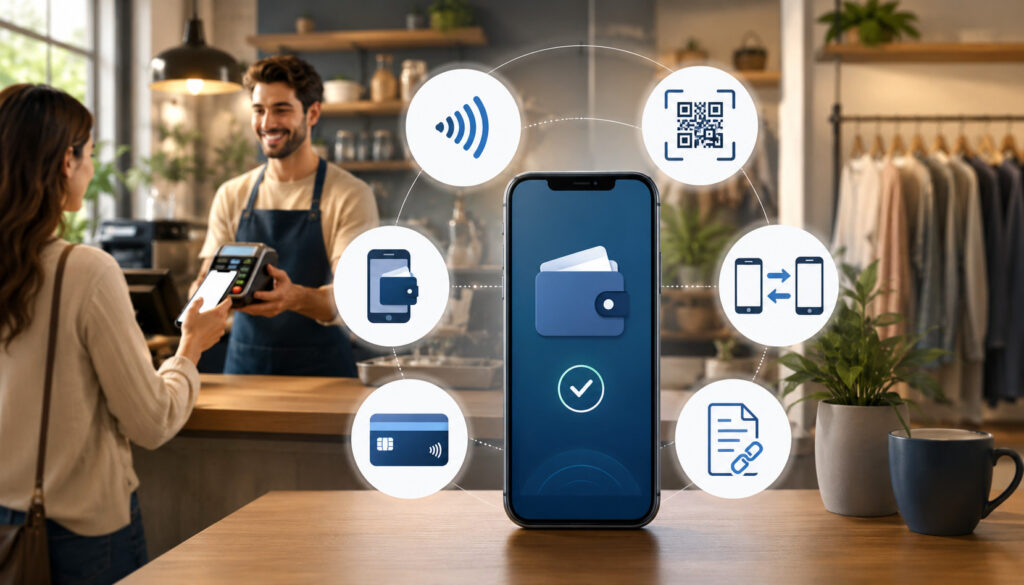
The best mobile payment processing for small businesses supports the ways customers already prefer to pay. That usually means more than basic credit card acceptance. A well-rounded setup may include credit cards, debit cards, contactless cards, digital wallets, ACH payments, QR code payments, payment links, mobile invoices, and sometimes recurring payments.
Credit and debit cards remain core payment methods for many businesses. With mobile card readers or mobile POS systems, customers can insert a chip card, swipe a magnetic stripe card when needed, or tap a contactless card.
For many businesses, card acceptance is the foundation of small business payment processing because it supports everyday consumer expectations.
Digital wallets are also important. Customers using smartphones or wearable devices may want to pay through wallet-based methods rather than handing over a physical card. Contactless mobile payment processing allows those buyers to tap and go, which can speed up checkout and reduce friction.
ACH payments may be useful for invoices, recurring billing, larger transactions, or service-based payments where card fees may be higher. While ACH is not always instant, it can be cost-effective for certain billing workflows. Payment links and mobile invoices can sometimes include ACH as an option alongside cards.
QR code payments are valuable for self-service checkout. A business can print a QR code on an invoice, display it at a counter, add it to signage, or include it in a message. Customers scan the code and complete payment on their device.
Mobile invoicing helps businesses collect after services are completed. A technician, consultant, or contractor can create an invoice from a phone, send it immediately, and include a payment button. This can shorten collection cycles and reduce follow-up work.
Tap-to-pay payments are another growing option. In some setups, a compatible smartphone can accept a customer’s contactless card or digital wallet directly, reducing the need for extra hardware. That can be useful as a primary tool for low-volume sellers or as a backup when a card reader is unavailable.
Benefits of Mobile Credit Card Processing for Businesses
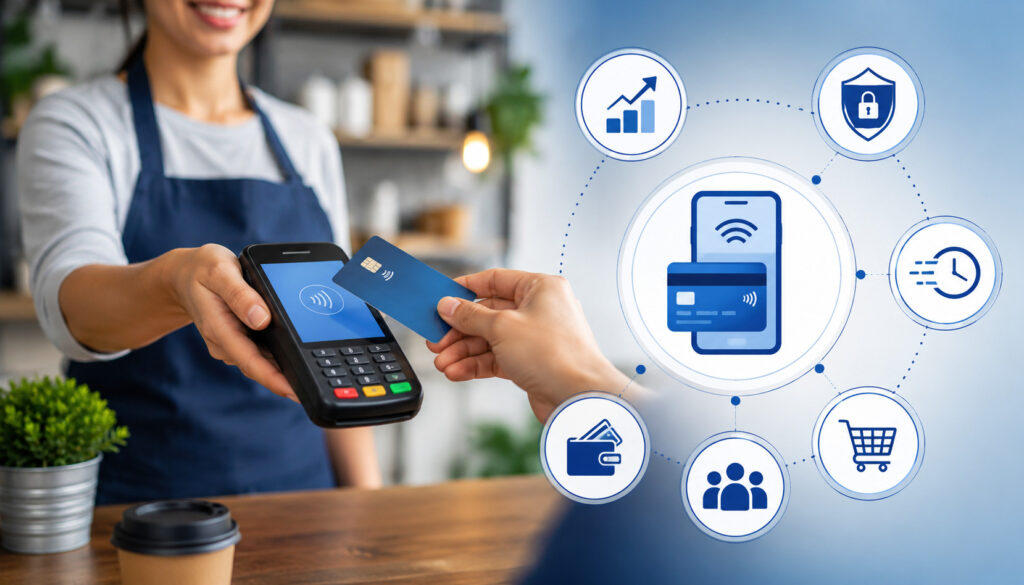
Mobile credit card processing for businesses offers more than the ability to accept cards on a phone. It can improve the entire payment experience by making checkout faster, more flexible, and easier to track.
For small businesses that operate with limited staff or changing sales locations, those improvements can directly affect revenue and customer satisfaction.
One major benefit is faster payment collection. When a customer is ready to pay, the business can accept the payment immediately instead of waiting for a later invoice, bank transfer, or mailed payment. This is especially helpful for field services, events, repairs, installations, deliveries, and consulting work.
Mobile processing also improves the customer experience. Buyers appreciate having options. Some want to tap a card. Others prefer digital wallets. Some want to pay from an invoice link after reviewing the details. When a business supports these preferences, checkout feels easier and more professional.
Another benefit is fewer cash-only limitations. Cash can be inconvenient for customers and harder for businesses to manage. Card and digital payments create digital records, reduce the need for change, and can simplify reconciliation. Digital receipts also help customers keep proof of purchase without paper.
Mobile payment tools can also make bookkeeping easier. Many systems record transaction amounts, payment methods, timestamps, taxes, tips, refunds, and fees. When connected with accounting or POS software, this data can reduce manual entry and improve financial visibility.
Flexible sales channels are another advantage. A business can sell in-store, at events, through invoices, from service locations, or from social media using different mobile payment tools. That flexibility can help small businesses test new sales environments without building a large payment infrastructure first.
Cost control is also possible when businesses compare the full fee structure. This article on low fee payment processing explains why small differences in transaction costs can matter for small businesses over time.
Contactless Mobile Payment Processing and Customer Convenience
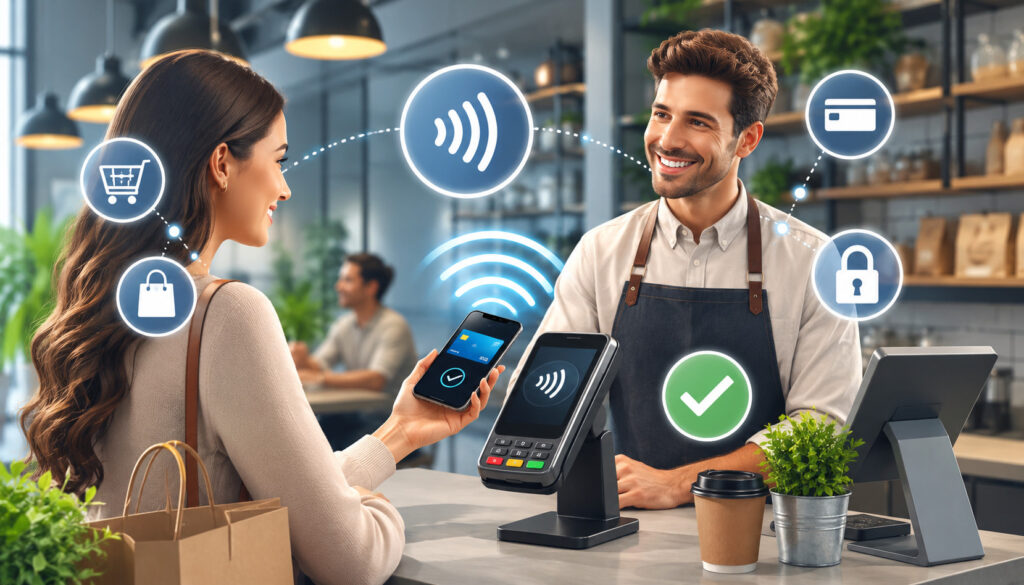
Contactless mobile payment processing allows customers to pay by tapping a contactless card, smartphone, or wearable device near a compatible reader or tap-to-pay-enabled phone. The technology behind many of these payments is NFC, which allows payment information to be transmitted securely at close range.
For small businesses, contactless payments can make checkout faster. Customers do not need to insert a card, sign a receipt in many routine cases, or wait while cash is counted. A tap can complete the customer-facing part of the transaction quickly, which is useful during busy periods, events, lunch rushes, service appointments, or outdoor sales.
Digital wallets are part of this shift. Many customers store cards in mobile wallet apps and prefer to pay with a phone or wearable device. Supporting digital wallets can make the business feel more current and customer-friendly, especially for buyers who rarely carry physical cards.
Contactless payments can also improve checkout flow. A mobile POS system with tap support can allow employees to take payments on the sales floor, at a table, at curbside pickup, or in a waiting area. This can reduce lines and create a more convenient mobile checkout experience.
Hygiene preferences also play a role. Many customers like payment methods that involve less handling of shared devices or physical cash. While security and speed are usually the bigger business reasons, the low-contact nature of tap payments can still support a more comfortable checkout experience.
Tap-to-pay payments can also reduce hardware needs in some environments. A compatible phone may be able to accept contactless cards and digital wallets without a separate card reader. However, businesses should still consider whether they need chip card support, printed receipts, cash management, inventory tools, or a full mobile POS system.
Security Best Practices for Mobile Payment Processing
Secure mobile payments are essential for protecting customers, reducing fraud risk, and maintaining trust. Because mobile payment processing often happens outside a traditional checkout counter, businesses need strong habits around devices, apps, networks, receipts, and card data handling.
Encryption is one of the most important protections. Payment data should be encrypted during transmission so sensitive information is not exposed as it moves through the payment system. Tokenization is another important security tool. It replaces sensitive card details with a unique token that is less useful if intercepted or exposed.
Businesses should use secure, reputable payment apps and approved hardware. Avoid unknown card readers, unsupported apps, or devices that have been modified in risky ways. Payment software should be kept updated because updates often include security improvements, bug fixes, and compatibility enhancements.
Device security matters too. Phones and tablets used for mobile checkout should have strong passwords, biometric access where appropriate, automatic lock settings, and operating system updates. Staff should not share login credentials, and user permissions should match job responsibilities.
Businesses should also avoid manually storing card details. Writing card numbers in notes, saving them in text messages, taking photos of cards, or keeping them in spreadsheets creates unnecessary risk. If recurring billing or card-on-file features are needed, they should be handled through a secure payment platform designed for that purpose.
PCI-aware workflows are important even for small businesses. While many mobile payment tools reduce the amount of card data a business directly handles, the business still has responsibility for using secure processes. Staff training should cover refunds, receipts, suspicious activity, chargebacks, and safe device handling.
Receipts also help with security and dispute prevention. Digital receipts should clearly show the business name, amount, date, and purchase details when available. Clear documentation helps customers recognize charges and gives the business better records if a question or dispute arises.
Costs and Fees to Consider
Affordable mobile payment processing for small businesses depends on total cost, not just the advertised transaction rate. A low-looking percentage may not be the best deal if the provider adds monthly fees, gateway costs, software charges, hardware costs, batch fees, statement fees, chargeback fees, or higher rates for keyed transactions.
Transaction fees are usually the most visible cost. These may vary depending on whether the payment is card-present, keyed manually, contactless, online, invoiced, or paid through a link. In-person tap, chip, or swipe transactions often price differently from manually entered card transactions because the risk profile can differ.
Monthly fees may apply for merchant accounts, mobile POS software, reporting tools, invoicing features, or advanced support. Some providers charge no monthly fee but use higher transaction pricing. Others charge a monthly platform fee with lower per-transaction costs. The better choice depends on volume, average ticket size, sales channel, and business needs.
Card reader costs also matter. Some businesses can start with a low-cost mobile card reader, while others may need more durable hardware, receipt printers, cash drawers, barcode scanners, kitchen printers, or multiple staff devices. A business should consider both startup cost and replacement cost.
Mobile POS systems may include software plans with different feature levels. A basic plan may support payments and receipts, while a higher plan may include inventory, employee permissions, advanced reporting, customer profiles, loyalty tools, or multi-location features.
Chargebacks are another cost category. A chargeback can include the disputed amount, a chargeback fee, and staff time spent responding. Strong receipts, clear refund policies, accurate descriptions, and secure payment methods can help reduce avoidable disputes.
Settlement timing also affects cash flow. Some providers offer standard deposits, next-day funding, or faster funding for an added cost. Faster settlement can be valuable for businesses with tight cash flow, but the cost should be reviewed.
To understand the bigger picture behind processing expenses, this guide on the true cost of accepting cards can help business owners compare costs beyond the headline rate.
Common Mistakes Small Businesses Should Avoid
One common mistake is choosing mobile payment processing based only on advertised rates. A low advertised rate may apply only to certain transaction types, while keyed payments, online invoices, chargebacks, gateway use, or premium cards may cost more. Small businesses should review the full pricing structure before deciding.
Another mistake is ignoring security. Mobile payments are convenient, but convenience should not lead to risky habits. Staff should not write down card numbers, send card details through messages, use weak device passwords, or process payments through unsecured tools.
Using outdated devices can also create problems. Older phones and tablets may stop receiving security updates, run payment apps poorly, lose Bluetooth connections, or fail during busy periods. If mobile checkout is important to revenue, the hardware should be reliable enough for daily use.
Poor receipt practices can lead to confusion and disputes. Customers should receive clear receipts that identify what they purchased, when they paid, and how much they were charged. This is especially important for service businesses, event vendors, and businesses using payment links or mobile invoices.
Weak refund policies are another issue. Customers should understand whether deposits are refundable, how returns work, when refunds are processed, and how partial payments are handled. Clear policies can reduce frustration and support better dispute outcomes.
Some businesses also fail to review reports. Mobile payment systems often provide useful sales data, but that data only helps if someone checks it. Reviewing transaction reports can reveal sales trends, refund patterns, chargeback issues, fee changes, and staff training needs.
Relying on only one payment method is also risky. If a card reader fails, a mobile app has an outage, or the internet connection drops, the business may be unable to collect payment. A backup option, such as payment links or a second device, can prevent lost sales.
How to Choose Affordable Mobile Payment Processing for Small Businesses
Choosing affordable mobile payment processing for small businesses requires looking at cost, features, reliability, security, and fit. The goal is not simply to find the lowest rate. The goal is to find a payment setup that supports how the business sells while keeping total costs predictable and reasonable.
Start by mapping your checkout environment. Do customers pay in person, remotely, through invoices, at events, from a website, after appointments, or at delivery? A business that sells at markets may prioritize mobile card readers and tap-to-pay payments. A service business may prioritize mobile invoicing, ACH, and payment links. A retailer may need a mobile POS system with inventory and reporting.
Next, compare supported payment methods. A strong solution should support the payment types customers are likely to use, such as credit cards, debit cards, digital wallets, contactless cards, QR code payments, and online payment links. Businesses that send larger invoices may also want ACH options.
Hardware should match the business environment. A low-cost reader may be enough for occasional sales, but a busy vendor or mobile team may need durable hardware, long battery life, strong connectivity, and quick pairing. If receipts are important, consider whether digital receipts are enough or whether a printer is needed.
Software features matter too. Look for product catalogs, taxes, tipping, discounts, refunds, user permissions, customer records, reporting, inventory, and accounting integrations. Paying slightly more for useful automation may save time and reduce mistakes.
Security should never be treated as optional. Choose tools that support encryption, tokenization, secure login, PCI-aware workflows, and reliable updates. Staff should be trained on safe payment handling and refund procedures.
Customer support is also important. If a payment system fails during a busy period, responsive support can protect revenue. Review support channels, availability, onboarding help, and dispute assistance before committing.
Finally, compare settlement timing and total cost. Review transaction rates, monthly fees, hardware costs, software plans, gateway charges, chargeback fees, and funding speed. This broader approach helps businesses choose small business mobile payment solutions that are affordable in real use, not just on the pricing page.
For additional context, review available payment products and services when comparing hardware, POS, and processing features.
What is mobile payment processing for small businesses?
Mobile payment processing for small businesses allows a business to accept payments through a smartphone, tablet, mobile card reader, mobile POS system, payment app, payment link, QR code, or tap-to-pay feature. Instead of relying only on a fixed checkout counter, the business can accept payments in stores, at events, at customer locations, through invoices, or from remote checkout pages.
It typically supports credit cards, debit cards, digital wallets, contactless cards, and sometimes ACH payments. The customer pays through a secure payment method, the transaction is authorized, and the funds are deposited after settlement. This flexibility helps small businesses reduce missed sales, improve customer convenience, and collect payments faster across different selling environments.
What equipment is needed for mobile payments?
The equipment depends on how the business wants to accept payments. A basic setup may only require a smartphone, payment app, and mobile card reader. Businesses that accept contactless mobile payment processing may use a reader that supports tap cards and digital wallets. Some setups allow tap-to-pay payments directly on a compatible phone without an extra reader.
A more advanced setup may include a tablet, mobile POS system, receipt printer, cash drawer, barcode scanner, stand, or multiple staff devices. Service businesses may need little hardware if they mainly send mobile invoices or payment links. The best equipment choice depends on checkout volume, environment, receipt needs, inventory needs, and whether the business sells in person, remotely, or both.
Can small businesses accept contactless payments?
Yes. Small businesses can accept contactless payments with compatible mobile card readers, mobile POS systems, or tap-to-pay-enabled devices. Contactless payments include tap-enabled credit cards, debit cards, smartphones, and wearable devices using digital wallets.
This option is helpful because it speeds up checkout and supports modern customer payment preferences. A customer can often complete the payment by tapping a card or device, which reduces friction compared with inserting a card or handling cash.
Businesses that sell at counters, events, service locations, pop-ups, or curbside pickup areas can benefit from contactless mobile payment processing because it keeps checkout fast and flexible.
Are mobile payments secure?
Mobile payments can be secure when businesses use trusted payment apps, approved hardware, encrypted transactions, tokenization, secure devices, and PCI-aware workflows. Many mobile payment tools are designed to reduce direct exposure to card data, especially when payments are tapped, dipped, or processed through a secure checkout page.
Security also depends on business habits. Phones and tablets used for payments should have strong passwords, updated software, controlled staff access, and secure network practices.
Businesses should avoid writing down card numbers, storing card details manually, or accepting card information through unprotected messages. Clear receipts, fraud monitoring, refund controls, and staff training also help protect customers and reduce disputes.
How much does mobile credit card processing cost?
The cost of mobile credit card processing for businesses can include transaction fees, monthly fees, card reader costs, mobile POS software, gateway fees, chargeback fees, and optional faster funding fees. The exact cost depends on the provider, pricing model, sales volume, average ticket size, payment method, and whether transactions are in person or remote.
Card-present payments made with a reader or contactless tap may be priced differently from keyed payments or payment links. Some providers offer simple flat-rate pricing, while others use interchange-plus or other pricing structures.
Small businesses should compare total monthly cost rather than focusing only on one advertised percentage. Hardware, software, support, reporting, and settlement speed should all be part of the decision.
What is the difference between mobile POS and a card reader?
A mobile card reader is mainly a payment acceptance device. It connects to a phone or tablet and allows the business to accept cards, contactless cards, and sometimes digital wallets. It is useful for straightforward in-person transactions, especially for mobile sellers and service providers.
A mobile POS system is broader. It includes payment acceptance plus software features such as product catalogs, taxes, tipping, discounts, receipts, sales reports, customer records, employee permissions, inventory, and integrations.
A card reader may be part of a mobile POS setup, but the POS system manages more of the checkout workflow. Businesses with simple transactions may only need a reader, while businesses with products, staff, or reporting needs may benefit from a full mobile POS system.
Can businesses send payment links from a phone?
Yes. Many mobile payment platforms allow businesses to create and send payment links from a phone. A payment link can be shared through text, email, invoice, chat, social media message, or booking confirmation. The customer opens the secure checkout page and completes the payment using an accepted method.
Payment links are helpful for deposits, remote orders, service balances, appointment payments, and situations where the customer is not physically present. They can also reduce the need to manually collect card details.
Businesses should make sure each link clearly identifies the payment purpose, amount, due date, and refund terms. Clear communication helps reduce confusion and supports better recordkeeping.
How can small businesses choose affordable mobile payment processing?
Small businesses can choose affordable mobile payment processing by comparing total cost, not just advertised rates. Review transaction fees, monthly fees, hardware costs, software charges, chargeback fees, payment gateway fees, and settlement timing.
Also compare what each plan includes, such as mobile invoicing, payment links, QR code payments, reporting, integrations, and customer support.
The most affordable option is not always the cheapest-looking option. A very low rate may come with limited support, missing features, expensive add-ons, or higher costs for certain transaction types.
The right choice should match the business’s checkout workflow, customer preferences, sales volume, security needs, and growth plans. A balanced solution should be cost-effective, secure, reliable, and easy for both staff and customers to use.
Conclusion
Mobile payment processing for small businesses helps owners and teams accept payments wherever selling happens. Whether a business operates from a storefront, service vehicle, event booth, invoice workflow, appointment setting, or online channel, mobile payments can make checkout faster and more convenient.
The best setup may include mobile card readers, mobile POS systems, digital wallets, contactless mobile payment processing, payment links, QR code payments, mobile invoicing, ACH options, and tap-to-pay payments. Each tool supports a different customer need and sales environment.
Security, cost, and reliability should guide the decision. Businesses should look for secure mobile payments, transparent pricing, strong device practices, useful reporting, responsive support, and payment methods that match customer expectations.
When chosen carefully, mobile payment processing for small businesses can improve checkout flexibility, customer convenience, cash flow, security, and sales opportunities across many business settings.